
Key Highlights
Here is a short guide on instagram screenshot notifications. It tells you what you should know.
- Instagram does not give a screenshot notification for regular stories or story highlights.
- Also, you will not get an alert if you screenshot a story shared with a close friends list.
- There are privacy concerns, but people can screenshot posts, Reels, and profiles without anyone getting a notification.
- The only time Instagram will send a screenshot notification is if you take a screenshot of disappearing messages or chats in Vanish Mode.
- You can take care of your privacy by picking who is on your close friends list or by hiding stories from some people.
Table of Contents
Introduction
You are using the Instagram app and see a friend’s story that makes you laugh. You take a quick screenshot. Then, you wonder if they will know about it. Many people think about this when they use the app. It helps to know what Instagram does about screenshot alerts so you can feel good using it. If you understand what happens with screenshots on your instagram profile or when you set up your privacy settings, you can feel better and avoid any odd moments. This way, you can keep your time and chat with others smooth on Instagram.
Understanding Instagram Close Friends Stories
The Close Friends feature on Instagram lets you show more private moments to a small group of people. You do not have to post your Instagram Stories to everyone who follows you. With the close friends feature, you can make a private list of people you trust. Use this list to share stories with only them.
This feature works well if you use a private account or a public account. It gives you more say over who looks at your posts. You can use it to share things in a closer way with others on the platform. Let’s see what this feature is and how it is not the same as regular stories.
What Is the Close Friends Feature on Instagram?
The close friends feature helps you make a list of followers on your Instagram account. If you put people on your close friends list, you can share a story with just them. This way, you get to send private stories that not everyone can see. Only those in your close friends list on that Instagram account will get to see this content.
Have you ever seen an Instagram Story with a green circle around it? The green ring shows that it’s just for close friends. The original creator uses this to share things with a smaller group they trust. You are the only one who can see the close friends list and change it. No one can ask to be also added to the list.
This lets you choose who gets to see your private updates. You can add people or take them off your close friends list whenever you want. They do not get a message when you change your close friends list. It is a good way to keep your privacy and still share real moments.
How Do Close Friends Stories Differ from Regular Stories?
Close Friends stories and regular stories on Instagram have some things in common, but who sees them is not the same. Regular stories can be seen by all the people who follow you, except the ones you choose to hide the story from. Close Friends stories are shown only to a group of people you pick. This lets you get a private space for sharing with those you want.
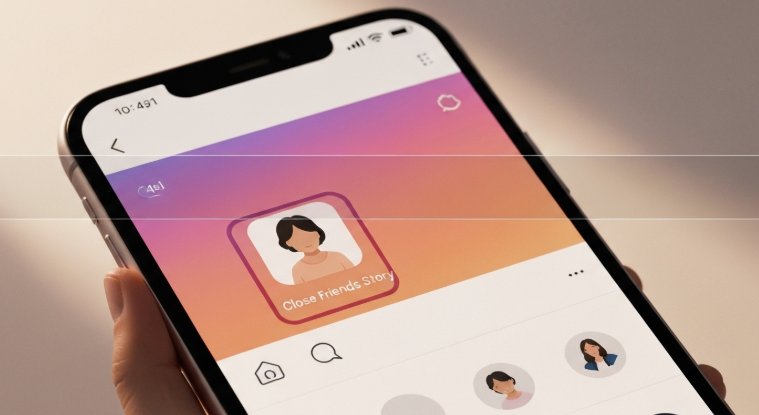
Another difference is the look of the circles around stories. Close Friends stories show up with a green circle. Regular stories have the usual pink and purple ring. This lets people know right away if the story is just for close friends. You can add Close Friends stories to your story highlights. They stay special and only your close friends can see them in highlights.
Here’s a simple breakdown of the differences:
- Audience: Regular stories show up for all people who follow you. Close Friends stories only go to a list you pick.
- Indicator: A green circle tells you it’s a Close Friends story. A pink or purple circle means it’s a regular story.
- Privacy: Close Friends is made for sharing personal content. It helps the user keep some things more private.
When it comes to alerts, the way Instagram handles screenshot notifications is the same for both close friends stories and regular stories. If you take a screenshot, no notification goes out. This is true whether the story is for close friends or anyone else.
Instagram and Screenshot Notifications: What You Need to Know
The rules for instagram screenshot notifications in social media may feel hard to understand. This is true, especially when you look at other social media platforms. A lot of people worry that taking a screenshot of a story might send an alert. This could bring up an awkward time.
Instagram’s way of handling screenshots is pretty simple for most things. If you know about how the platform deals with these notifications and what its rules are now, you will feel less confused. Let’s look at the times you can screenshot without worry and the times you need to be careful.
The History of Instagram Screenshot Notifications
Instagram tried out a screenshot notification feature for a short time in 2018. If you took a screenshot of someone’s story during this test, there would be a small sun-shaped picture next to your name in the list of people who viewed their story. This was a big change for Instagram and for how people use stories.
The reaction to this test was mostly bad. People on Instagram were used to taking screenshots without having anything happen after. The new feature seemed to be pushy. Some other apps already have these notifications, but users on Instagram did not like them. They felt this would stop people from using the app the way they want. Many said it made using Instagram feel less fun, especially when it came to taking instagram screenshots.
In the end, Instagram took user feedback and took away the feature after a few months. The platform has not brought back story screenshot alerts since that time. Now, Instagram lets people use close friends privacy settings, like picking who is on the close friends list. But there are not any settings that let you stop or get notified about someone taking screenshots.
Does Instagram Notify for Regular Story Screenshots?
The answer is no. Instagram will not tell users when you take a screenshot of their regular stories. You can save a funny moment, a nice travel picture, or an inspiring quote from someone’s story, and they will not get a notice about it. This rule is true for all regular stories, like photos, videos, and polls.
This way lets people keep their user privacy while also making it easy to share and save content. On Instagram, you get tools to manage who can see your stories first. You can set your profile to a private account or choose to hide stories from certain people. In the end, it’s up to the viewer if they want to capture content.
So, does Instagram send you a notification if you take a screenshot of a close friends story? The answer is no, just like with regular stories. Instagram handles screenshots of stories from close friends and others the same way. The platform wants all users to have the same user experience, so it does not send alerts for this.
Will Instagram Notify Screenshot of Close Friends Story?
This is a big question for many people. A Close Friends story is meant for you to share with just a few trusted people. You might think there are strict rules for this. A lot of users have privacy concerns. They wonder if a screenshot notification will be sent when someone takes a screenshot of this personal content.
The answer is easy to understand. If you take a screenshot of a Close Friends story on Instagram, the original poster will not know. Instagram does not tell people when you do this, even though Close Friends stories feel private. The rule is the same for Close Friends stories and regular stories. So, there is no change no matter what kind of story you see—close friends or regular stories.
Instagram’s Current Policy on Close Friends Screenshot Notifications
As of now, Instagram has a clear rule. The app does not send a screenshot notification for Close Friends stories. If you are on a close friends list and you take a screenshot of their story, they will not get a message about it. It works the same as when you screenshot a public story on the instagram app.
So, if you take a screenshot of a close friends story on Instagram, the person who posted it will not know. Instagram does not show or track who takes screenshots of these stories. The only thing the person can see is the list of viewers. There are no signs or alerts for screenshots.
This policy may feel odd if you think a privacy feature should work in a different way. Still, Instagram wants you to choose who sees your stories right from the start. You pick your list, and this lets you set who can look at your posts. Once you share a story, Instagram does not watch or check who sees it after that.
Comparing Close Friends and Regular Story Screenshot Notifications
When you take a screenshot of a story or a Close Friends story on Instagram, the app treats both the same way. There is no special alert for close friends or regular stories. The person who posted the story will not get any Instagram screenshot notifications.
This even setup makes things easier for the user experience. You will not need to learn different rules for close friends or regular stories. No matter if you share a story with thousands or just a few close friends, you can screenshot it without anyone knowing. Instagram treats screenshot notifications for close friends’ stories the same as for regular stories. So, there is no difference, and this will not change.
Here is an easy table to show the policy for both types of stories:
| Story Type | Screenshot Notification Sent? |
|---|---|
| Regular Stories | No |
| Close Friends Story | No |
Privacy Settings for Close Friends Stories
You cannot stop people from taking screenshots. But Instagram lets you use strong privacy settings. These help you pick who can see your content to start with. The close friends feature is a good example. This lets you share your posts with only the people you trust most, so you can feel better about what you share.
Effective social media management is all about knowing which tools you have and how to use them. When you stay active in talking with your audience, you get to share things with people who you trust more. Let’s go over ways you can make changes to your list and look at what you can do about screenshots.
How to Manage Who Can See Your Close Friends Stories
Managing your close friends list is easy and gives you full control over your private stories. You are the only one who can make or change this close friends list. People do not get a notice when you add or take them out. This is an important part of Instagram’s privacy settings for stories.
Whether you use a private account or a public one, the close friends feature on Instagram is the same. It helps you share photos or videos with a select group instead of all your followers. Some people ask if Instagram has any privacy settings for close friends stories, especially for blocking screenshots. There are no options to stop others from taking screenshots. The best way to keep your posts safe is to carefully choose who goes on your close friends list. This way, you have some control over who sees what you share.
Here’s how you can manage your Close Friends list:
- Go to your profile. Tap the three lines at the top right corner.
- Pick “Close Friends” from the menu.
- You can look for and add people to your list here. You can also take people off your list by tapping “Remove.”
- After you set your list, you can share a story only with your close friends. Just tap the “Close Friends” button.
Can You Control Screenshot Permissions for Close Friends Stories?
At this time, Instagram does not have a way to control if someone takes a screenshot of your story. This includes close friends stories. You can’t stop people from taking screenshots, and there isn’t a setting that lets you get a screenshot notification. Instagram privacy features let you choose who can see your story. But they do not give you control of what people do with it.
This means you can not know if anyone takes a screenshot of your Close Friends story on Instagram. The app does not keep track of this. So you will not get any icon or message about it. The only way to know is if the person tells you or shares the screenshot with you.
Some people may worry about this, but Instagram believes if you share things with your close friends, you trust them. The privacy features let you pick who is on your close friends list before you post. This way, you can control who sees your content instead of watching what happens after.
What Happens If Someone Takes a Close Friends Screenshot?
So, what goes on when anyone takes a screenshot of a story you share with close friends? From a tech side, nothing happens. The one who puts up the close friends story will not get any alert. The app does not show any sign or keep any record of it.
You still need to think about trust. When you share close friends stories on Instagram, you are sharing sensitive information. Even if you feel safe with the people you choose, there can be risk. In 2025, if you screenshot a close friends story, Instagram will not send a notification to the story owner. Let’s see if the story owner can know about this and what it means for users.
Can Story Owners Track Who Screenshotted Their Close Friends Story?
No, people who post close friends stories on Instagram can’t see who took screenshots. Instagram does not have a tool or feature to let you know who took a screenshot of your story. The original creator can see who looked at their Instagram story, either if it’s a regular one or part of story highlights. But you can’t get any more details than that.
There are no Instagram screenshot notifications. There are no special icons or lists that show who has taken screenshots of the content. This is the same for all kinds of stories. The main idea is to let the creator choose their audience before sharing, not to watch what people do after.
Some people might ask if other apps can give this info. They cannot do that. Instagram’s privacy rules stop third-party apps from getting this kind of data. If you see an app that says it can tell you who took a screenshot of your story, it is probably not safe. Using these apps may put your account at risk.
Effects of Screenshotting a Close Friends Story for Users in India
For users in India, the way screenshots work for a Close Friends story on Instagram is the same as everywhere else. Instagram does not send a screenshot notification, no matter where you are. This helps make social media feel the same, with rules that do not change by country. People can use Close Friends and other social media platforms and know what to expect about screenshot notification on stories.
The platform takes care of user privacy by using audience controls. It does not use alerts for this purpose. If you take a screenshot of a Close Friends story in India, the person who posted it will not know about it. The way the platform is built is the same for all users.
To be clear, Instagram will not send you a notification if you take a screenshot of a Close Friends story in India. The app does not alert anyone about this. You should still think about trust and sharing with others, but there is no tech side of the app that warns others if this happens with close friends stories.
Alternative Ways to Preserve Close Friends Stories Without Screenshotting
If you post stories on Instagram, for sure there is the need to save your instagram content. You might want to keep your own photos but not fill up the gallery on your phone. Instagram has features that help you do this. The app can keep your pictures for you. It will be easy for you to look back at some favorite moments when you use these features.
Instead of getting a screenshot of your story, you can use Instagram Archives. This tool saves your stories after they go away. Archives and collections help you keep your posts safe. Let’s see how theese tools work for keeping your content.
Using Instagram Archives and Collections
A good way to keep your stories without screenshot is to use Instagram Archives. This tool will save your stories for you. The stories will stay in a private place on your page after 24 hours. You can look at your archives any time to see old stories and memories.
To do this, open the Instagram app and go to your settings. Make sure the “Save story to archive” option is turned on. When this is set, all the stories you post will be saved for you. You do not have to do anything extra, which makes it easy to keep a record of your content.
If you want to keep other instagram posts, you do not need to take screenshots. The instagram app has a save feature. You can use this to put posts into your collections.
Here’s how to access your archived stories:
- Go to your profile. Tap the menu icon.
- Pick “Archive” from the list.
- You can switch between your Stories Archive and Posts Archive.
- You can re-share, add to highlights, or just look at your old stories here.
Downloading or Saving Stories: What’s Allowed?
You can’t download other people’s stories straight from the Instagram app. But you can save your own stories with no trouble. Before you post a story, or right after, just tap the three dots. Then pick “Save” to put it right into the camera roll on your phone. This is good if you want to keep a copy for yourself. You can look at it later or use it as a future reference outside the Instagram app.
Instagram does not let people download or save stories from other users. This rule helps to protect the privacy of those who share stories. The app wants to keep stories short-lived. Some other apps say they can help people save stories. Using these apps can be risky, and it may break Instagram’s rules.
The best way to save someone else’s content is to ask them first. If you really like a story they shared, you can ask if they will send it to you. This is good because it shows respect for the person who made it, and it also helps you avoid any problems with privacy.
Does Instagram notify when you screenshot a story?
Let’s get right to it. Instagram does not tell people when you take a screenshot of their regular stories. This rule has been the same for a long time. You can save moments from regular stories without the other person knowing. This is true for stories shared with Close Friends too. It does not matter if the story is for everyone or just for close friends. A screenshot notification will not be sent. Instagram screenshot notifications only show up for certain private things.
So, does Instagram ever let people know if you take screenshots of stories, posts, or DMs, including close friends stories? For stories and posts, Instagram does not tell anyone if you take a screenshot. But, things change with some types of Direct Messages (DMs). You can take screenshots of regular DMs with no problem, and no one will get an alert. But if you screenshot a disappearing photo, a video, or a message in vanish mode, Instagram will tell the sender about it. This is the only time Instagram alerts users about screenshots.
How Can You Prevent People from Taking Screenshots of Your Stories?
While you can not control if someone takes a screenshot on Instagram, you can decide who sees your stories. The best way to stop people you do not want from taking screenshots is to think about who can view your posts. By using the privacy settings, you can limit who gets to see your content.
Making your account private is a good way to start. But, you can do more to stay safe. You can hide your story from some people. You can also make a close friends list. This gives you more control over who can see what you post. Let’s look at the steps you can take to keep your stories safe.
1. Access Your Story Settings:
The best way to control who sees your story is to adjust your settings in the Instagram app. You can find these settings on your profile or when you start a new story. They let you choose who can look at your stories and who can send replies.
To find your settings in the Instagram app, you have two ways. You can swipe right from your feed to open the story creation screen. You can also go to your profile instead. If you are on the story creation screen, tap the gear icon at the top right. This takes you straight to your story controls and privacy settings.
From here, you can adjust several options:
- Viewing: Decide who gets to see your story and story highlight.
- Replies: Choose who can reply to your stories.
- Sharing: Pick how your stories can be shared. Does Instagram let you set privacy settings for Close Friends stories when it comes to screenshots? Instagram does not have direct screenshot controls, but you can limit who sees your stories with the viewer list. This is the main way to keep your close friends’ stories more private.
2. Go into Privacy Settings
When you open the story controls menu, look at the privacy settings. You can use these to decide who gets to see the things you post. If your profile is public, all people can view your stories. This means the privacy settings matter if you want to control your audience.
In the privacy area, you can see the “Hide Story From” option. This tool helps you pick people who will not be able to see your stories. They will not know that you have hidden your story from them. It is a good way to keep some people from seeing what you post without making your account private. This keeps your stories safe from certain followers while still keeping your account open.
You can’t control who takes screenshots of your Close Friends stories. But, you can use the “Hide Story From” feature as a good option. When you pick who can see your story, you make sure only some people have the chance to screenshot your content. This is a smart way to help keep your privacy safe while you use the platform.
3. Choose Your “Story Squad”
Another strong way to manage who sees your posts is to make a “story squad” using the close friends list. With this, you get to share your stories, and even story highlights, with only a few people you trust most. This is a great tool for showing special parts of your life on your Instagram account. It is the right way to share moments you do not want everyone to see. The close friends list helps you feel more safe and in control.
To manage the close friends list, go to your profile and tap the menu icon. Then pick “Close Friends.” You can add or remove people any time, and they will not know that you did. When you want to share a story, tap the green “Close Friends” button at the bottom. This will send it only to your close friends group.
This is how you can handle who sees your Close Friends stories. Make a list with people you trust. This way, you be sure only they get to see posts that are more private.
- Only you can look at your close friends list.
- Other people cannot ask to be put on it.
- The close friends list works for private and public accounts.
4. Save Your Selections and Share
After you change your privacy settings or pick the people for your close friends list, you need to save these choices. Now, you can share your content. If you use the “hide story” option, just tap “Done” to make the changes work. The people you picked will not see your stories on Instagram.
When you use the Instagram app to post, you can pick if you want everyone to see it or just your close friends. This lets you choose who views your personal content each time you share a story. The save feature also lets you keep your own copy of what you post.
Sharing stories with Close Friends really does work. A lot of people use the feature because it lets you share content with people you trust. It gives you a private place in a public app. You can feel free to be yourself and share your real thoughts. You do not have to show everything to all your followers. This is what makes close friends such a good way to be open in your stories.
Does Instagram notify when you screenshot a post?
When you look at instagram posts in your feed, the rule is clear. The app does not tell the content creator if you take a screenshot of their photo, video, or a carousel post. You can take a screenshot of that recipe, workout, or funny meme. The original poster will not get any notice about it. This is true for posts from both public and private accounts.
Instagram has a built-in “Save” feature, shown as a bookmark icon under a post. This lets you save posts instead of taking screenshots. When you save a post, the creator can see the total number of saves in their analytics. But, they do not see who saved it. This helps creators get feedback, and your privacy stays safe.
People often want to know if Instagram sends out any screenshot notification. The answer is no when it comes to posts. Instagram does not alert anyone if you take screenshots of stories, posts, or DMs from the main feed.
Does Instagram notify when you screenshot a profile?
You may want to save a person’s Instagram profile to get ideas for your own bio or to remember their username. If you take a screenshot of the Instagram profile, will they receive a screenshot notification? The answer is no. Instagram will not send any screenshot notification when you capture a profile page. A public Instagram profile is open for anyone to see, so Instagram does not keep track of screenshots for it.
This policy helps make the user experience smooth. You can save your info without any trouble. Many people ask: will others know if I screenshot a chat on Instagram? For normal chats, they will not get a notification. But if you take a screenshot of disappearing messages or chats in vanish mode, the other person will be told. You can also take screenshots of profiles without worry.
Does Instagram notify when you screenshot a DM?
The rules for Instagram DMs can feel a bit tricky. If you are just having a regular chat, Instagram will not send a screenshot notification. You can take a screenshot of text messages, shared posts, or pictures from your camera roll in these chats. The other person will not know. This works the same way as it does for stories and posts.
But things are different when you have temporary content. Instagram does give a screenshot notification to the other person if you take a screenshot of disappearing messages in vanish mode. It will also let them know if you screenshot a disappearing photo or video in a normal chat. This is done to help with privacy for this kind of content. So, if you want to know if Instagram tells people when you screenshot a close friends story, it does not. For disappearing messages, Instagram will send a notification if you take a screenshot.
What’s the Other Alternative to Screenshotting Someone’s Instagram Posts?
Instead of having your phone’s gallery full of Instagram screenshots, you can use a much better way to save Instagram content you like. A good way to keep Instagram posts is by using the built-in save feature. You can find a small bookmark icon under each post. If you tap this icon, the post will be saved to a private place in your profile.
This feature is more organized and helps with social media marketing and creators. The user will not get a notice when someone saves their post. But, the saves count shows that people find their content good. You can also put your saved posts in different groups, like “Recipes,” “Travel Ideas,” or “Fashion Inspo.” This will keep all your saved stuff tidy and easy to get later. It is better than taking screenshots, as you will not lose image quality.
Organize and Save Reels to Collections
Just like with posts, you can keep and sort your favorite Reels with no trouble. You do not need to do a screen recording or take screenshots. The instagram app makes it easy for you to save any Reel you like. The save feature lets you put together your own set of fun or helpful videos to watch again whenever you want.
When you tap the bookmark icon, you can save any Reel to your list. After this, it is easy to sort all your saved Reels into groups that you choose. This way, you can find the ones you want later without trouble. Let us go over how to save a Reel and handle your collections.
How to Save a Reel to a Collection
Saving a Reel to a collection in the Instagram app is simple. When you see a Reel that you want to keep, look at the bottom-right corner of your screen. There, you will see three dots. Tap on the three dots to see a menu with more options.
From this menu, pick “Save.” The first time you do this with a Reel, Instagram will ask you to start a new collection or add the Reel to your main saved items. You can give your collection a name that tells you what’s inside, like “Workout Ideas” or “Funny Reels.” This helps you keep things neat and easy to find.
After that, each time you use the save feature on Reels, you can add what you like to a collection you already have or make a new one. This is a simple way to build your own library of the things you enjoy. It lets you get to your favorite content in the app any time you want.
How to Access and Manage Your Saved Reels in Collections
Finding and using your saved Reels on your instagram profile is easy. When you save these Reels, they go with all your other saved stuff. That means your saved posts and Reels are together in one spot on your instagram profile. You can get to them fast anytime. It helps you look at your collections or get organized when you want.
To see your saved content on your instagram profile, open your profile, then tap the menu icon at the top-right. This icon shows as three lines. From the menu, tap “Saved.” It will show you a gallery with all your saved items. These are set in collections.
Here’s how you can take care of your collections from this screen:
- View Collections: You can tap on any collection. This will let you see the Reels and posts saved in it.
- Rename or Delete: You may give your collections a new name or take out any content you do not want in them.
- Create New Collections: You will be able to make new collections. This will help you keep your saved items neat and sorted.
Quick Recap: What Happens When You Screenshot on Instagram
Here’s the bottom line on what to know about taking a screenshot on Instagram. For most content, you can take a screenshot without worrying that the other person will get a screenshot notification. This works the same for regular stories, Close Friends stories, posts, Reels, and profiles. Instagram does not give any alert or screenshot notification for these actions. The platform wants to keep things open for sharing and make it easy for people to use and connect with others.
Instagram only sends screenshot notifications for private and temporary things in direct messages. If you take a screenshot of a disappearing photo, video, or a message in vanish mode, the person who sent it will get a notification. So, does Instagram tell someone if you take screenshots of stories, posts, or other DMs? No, it does not send alerts for those. Instagram screenshot notifications will show up just for vanishing messages and not for everything else. You can save screenshots of stories, normal posts, and regular DMs without letting anyone know.
Caution Against Third-Party Apps
You might see some apps from other companies that say they give you features you can’t get on Instagram. Some may say they will tell you if someone screenshots your story. It’s very important to be careful with these apps. Most of them do not work as they say. This is because Instagram uses strong privacy rules, so these apps can’t really do what they promise.
These apps ask you to log in using your Instagram account. This can be risky for your safety. If you enter your password, your account could get hacked or your personal information might be stolen. Using these apps may break Instagram’s rules. If you do, Instagram could block your account.
You cannot control who takes screenshots of your Close Friends stories using third-party apps. There is no real way for another app to track this for you. The best thing to do is use the privacy features that are already in Instagram. Stay away from apps that say they can do more, as their claims are not true.
Privacy Measures for Users
While you cannot stop people from taking screenshots, you can do a lot to protect your privacy. One key thing is to use smart social media management. This will help keep your privacy concerns in check. The best way is to be careful and choose who can see your posts or stories. If you want more control, only share with people you trust.
Making your account private is a good start. This makes it so that only the people you let follow you can see your posts and stories. But you can do more, because Instagram has more privacy features you can use.
Here are some key privacy measures you can take:
- Make Your Account Private: Change your settings so only people you allow can follow you.
- Use the “Close Friends” List: Share your personal content with a trusted group of close friends.
- Hide Your Story: Stop certain people from seeing your stories, and they will not know about it.
- Review Your Followers: Look at your follower list from time to time and remove anyone you do not want to share with.
Screenshots and Social Media: Is True Privacy an Illusion?
In today’s world, people use social media a lot. Many feel that real privacy on these sites is not easy to get. When you post online, you let go of some control over what happens to your content. There are no Instagram screenshot notifications for most things you share, showing how your posts can be saved or shared without you knowing. If you send sensitive information to only a few people, they can still take a screenshot and pass it on. Because of this, privacy concerns are real for all who use social media.
The key to all of this is to think before you post. Always keep in mind that anything you put up can be saved or screenshotted. The platform may give you some privacy settings, but these do not always stop other people from capturing your content. You have to find a balance between sharing and keeping your personal information safe. In the end, the best way to protect your privacy is to choose carefully what you want to make public, even with privacy settings or a private group.
Best Practices for Interacting with Other Users’ Content on Instagram
When you use Instagram or other social media platforms, it’s good to follow some best practices. This helps keep the community respectful. The most important thing to do is respect privacy. There are times when you can take a screenshot without the creator knowing, but that does not make it right to share. Think about it before you share anything you get from social media.
If you want to share someone else’s story or post, be sure to ask them first. When they say yes, tag their account to give them credit. This shows respect for the original creator. It can also help you stay away from any copyright trouble. While you can’t stop people from taking screenshots of your stories, treating each other with respect is good for everyone.
Conclusion
To sum up, knowing how Instagram manages screenshot alerts for Close Friends Stories helps you keep your privacy and control how you act on social media. Instagram does not send a notice if someone takes a screenshot of a Close Friends Story. Still, you should watch who you let see your posts and you can use privacy settings to keep your content safe. Social media changes often, so these details matter. When you know about these things, you can feel good and be smart while using it. If you want advice or tips about social media or privacy settings, feel free to reach out for a free consultation!
Frequently Asked Questions
Can someone know if I screenshot their Instagram close friends story?
No, people cannot tell if you screenshot their Instagram Close Friends story. Instagram does not give a screenshot notification for this. The original poster will not get any alert, and there is no way for them to know who has saved or captured their story.
Is there any difference in notifications between regular and close friends stories?
No, there is no difference in this policy. Instagram screenshot notifications do not get sent for a regular story or a Close Friends story. The original creator will not know if you screenshot what they post. This is the case no matter who they share it with. The way it works is the same for both types of stories.
Do I get notified if someone takes pics of my story?
No, you do not get a screenshot notification if someone takes a screenshot of your story. This is true for both regular stories and story highlights on your Instagram account. The privacy features of Instagram are meant to help you control who can see your stories, but they do not tell you if someone makes a screenshot of your story.
Does sharing stories with close friends actually work?
Yes, the close friends feature works well. It lets you share Instagram stories and other personal content with only a few people you feel good about. The close friends feature gives you better privacy and control. You can share things in a more close way on the platform.
Can somebody tell if I screen record their Instagram story?
No, people cannot see if you screen record their Instagram story. It is the same as taking a screenshot. Instagram does not send a screenshot notification or any alert when you do a screen record. The privacy features on the app do not check for this kind of activity.
Do people get a notify if I take a screen of their propic?
No, people do not get a notification if you take a screenshot of their Instagram profile or profile picture. When you do this, it does not set off any alert. This fits with how Instagram handles its user experience for things everyone can see, like public content.
Will people know if I screenshot the chat on Instagram?
It depends on the kind of chat you have in Instagram DMs. If you are talking in a regular chat with permanent messages, people do not get a screenshot notification when you take a screenshot. But, if you use vanish mode or send a disappearing photo or disappearing messages, the other person does get a screenshot notification.
Why does Instagram notify in Vanish mode?
Instagram lets you know if someone takes a screenshot while in Vanish Mode. This helps keep the disappearing messages private, since vanish mode is made for short and safe chats. The alert lets all users see when these quick messages might be saved, so it keeps the true reason for vanish mode.
What is Instagram Story Green Circle?
The green circle you see around an Instagram story shows that the person shared it using the close friends feature. This is a way for the user to let only a few people see it. That group is chosen by the user. It means the instagram story is more private and just for people in their close friends list.
Can I screenshot an Instagram close friends story?
Yes, you can take a screenshot of a Close Friends story on Instagram. The platform does not stop you from doing that. Also, it will not send a screenshot notification to the person who put up the story. The way instagram screenshot notifications work is same for close friends and for regular stories.

