
Key Highlights
Here are the key takeaways about phishing:
- Phishing attacks are a form of social engineering. These attacks try to trick you into giving away personal information.
- The most common way is called email phishing. Here, attackers act like they are from legitimate companies.
- The attackers want to make you feel a sense of urgency. They do this so you act fast and don’t think things through.
- If you fall for these attacks, you could lose money or have identity theft. There can also be big data problems for companies.
- You have to learn how to see the signs of a scam. This is an important part of phishing protection.
- A mix of people knowing what to look for and using good security tools gives the best defense against social engineering attacks.
Introduction
Have you ever got an email that did not feel right? It could be a phishing attack. A phishing attack is the way some people use tricks and social engineering to get your personal information. The attackers can pretend to be someone you trust. They want you to click on harmful links, download bad files, or give away private data like your passwords and your credit card numbers. Knowing how these scams work is the first step you need to take to be safe in the digital world.
Defining Phishing: Meaning and Importance
Phishing is a trick where someone tries to get your sensitive information. This is a type of social engineering in which an attacker acts like a trusted source. A phishing attack wants you to do something, like give up your login credentials or share your financial details. The whole idea is to fool you into handing over important stuff.
It is more important than ever to understand this threat. A phishing email can let criminals get your personal information. If this happens, you may face identity theft and could lose money. A phishing email is like a trick. It looks real, but its goal is to hide what is bad and get your details.
Phishing mail meaning and origins
A phishing mail is a fake email. It is sent by cybercriminals to trick people into giving away private data. The word “phishing” has been used since the mid-1990s. Back then, hackers began to use fraudulent emails to fool users. The idea is simple. They send an email that looks important or interesting. Then, they wait for people to click and share their information.
These attacks use social engineering to seem real. The person behind a phishing attack may choose an email address that is almost the same as a trusted one. Sometimes they make a new domain name that is just one letter different from the real business. This careful planning makes the phishing attack look very real.
The whole setup is made to take advantage of your trust. It copies the style of a real company, so you may not notice anything wrong. This phishing mail tries to make you feel safe, so you might click a risky link or share private information without thinking twice.
Why understanding phishing is crucial today
Phishing scams are everywhere online today. These are not just junk emails. They try to get your sensitive data. If that happens, the results can be very bad for you. Be careful when you see something suspicious on the internet.
When phishing attempts work, criminals can get into your online accounts. This includes your email, social media, and banking profiles. They can take your money, lock you out of your accounts, and do identity theft by pretending to be you. There are many risks that come with losing control of your online accounts.
Phishing emails are risky because they work so well. Some of these emails look just like messages you would get from brands you know and trust. A lot of people can be fooled by this. That is why it is so important to know about these scams and learn how to spot them. This helps keep you safe when you use the internet.
Email phishing meaning vs. other cyberthreats
While email phishing is a type of cyberthreat, it is different from many others. Other attacks look for problems in software to get in. But email phishing is not like that. It tries to trick people instead. The people behind it play on your trust and feelings. This kind of scam uses fake identities and lies. Email phishing counts on people believing what they see or read, not just weak points in computer programs.
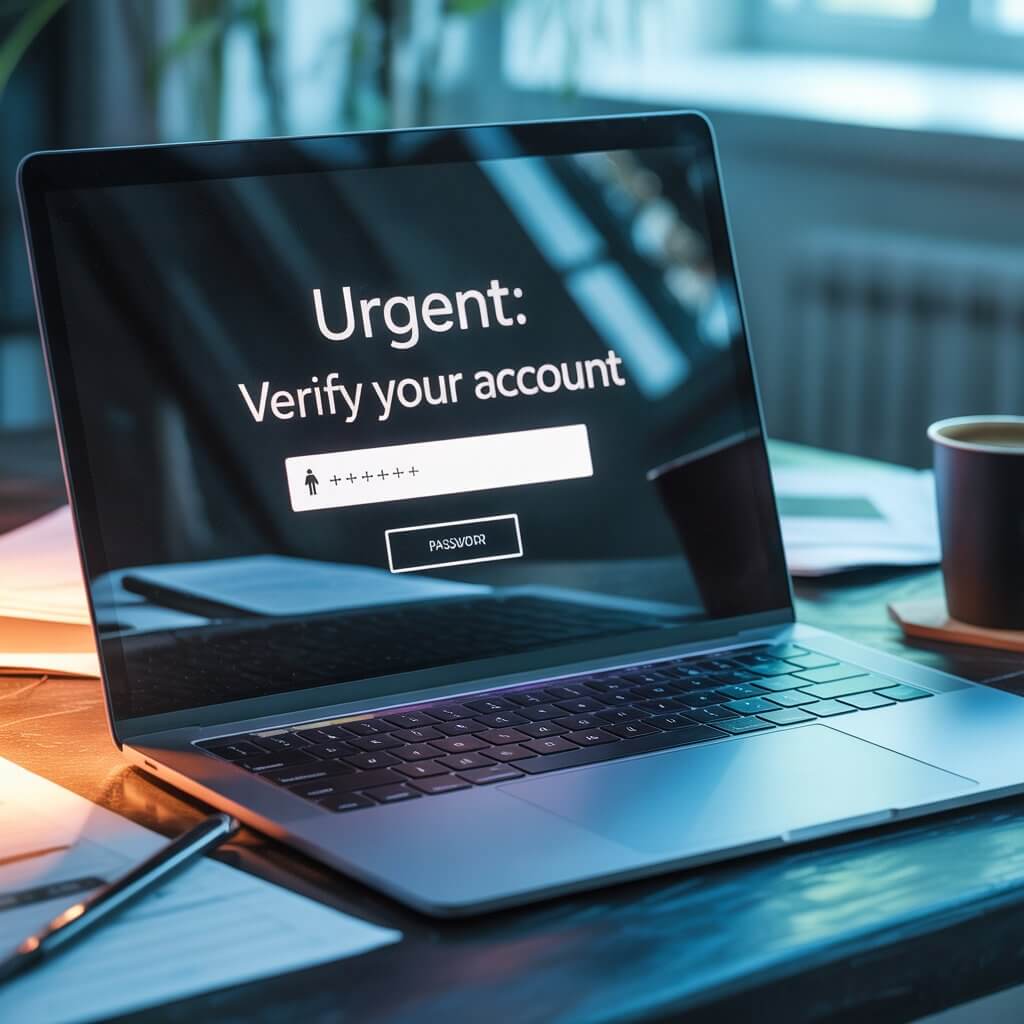
This is the point where social engineering starts. Phishing techniques work to trick you by playing with your mind. A good example is when you get an email that makes you feel worried. It may say your account is not safe and you need to do something fast. The email does this so you do not take time to read it closely.
Other online threats can include people using brute-force attacks to guess passwords or anyone trying to get into a system by taking advantage of a weakness. But with phishing, someone tries to get you to give up your own information on purpose. This is a big difference. That is what makes phishing a special and hard problem to fix. It works by tricking people, as it uses the way that people normally think and act against them.
How Phishing Attacks Work
A phishing attack often starts with a fake message. This message is made to look like it comes from your bank or a well-known online company. The goal is to trick you. Attackers use social engineering to make you feel a sense of urgency. They use social engineering techniques to push you into doing something you would not normally do.
The main aim of these phishing campaigns is to take your sensitive information. Attackers want your login credentials, credit card numbers, or personal data. They try to trick you before you even start to think if the message is real. Now, let’s look at the methods they use to make this happen.
Typical methods used in phishing email attacks
Scammers use many common ways in a phishing email to get your information. They use social engineering to get you to trust them and feel safe. This can make it easy for them to trick you into giving away your details. If you know about these social engineering techniques, you can spot phishing attempts more easily and keep your information safe.
The most common methods include:
- Malicious Web Links: These suspicious links look like they take you to a real site, but they go to a fake site that the attacker runs.
- Malicious Attachments: These files look like invoices, receipts, or important papers, but they have malware. When you open them, your device gets infected.
- Fraudulent Data-Entry Forms: A fake login page or form in the email asks you to type in your details. Then, these are sent straight to the scammer.
These tricks work well because they use trust and push people to act fast. For example, someone might get a fake bill in their email account. They may feel they have to open it right now. When they do, they might put malware on their computer by accident. This can let attackers get into their email account and a lot more.
Phishing site meaning and tactics
A phishing site is a fake website made to look like a real one. These fake websites are often the place you end up when you click on malicious links in emails. The main goal of these sites is to trick people into giving up their login credentials or other sensitive information. It is good to know that you should never enter your details on these websites.
Attackers use many tricks to make a phishing website look real. A big one is picking a domain name that has a small mistake in it or adding a new ending, like .net and not .com. They also copy the real company’s logos, colors, and style. This is done so people think it is the real site. A phishing website is made to fool you with these tricks. If you look closely at the domain name, you can spot if it is not the real one.
For example, you might get an email that takes you to a fake Google or Microsoft login page. If you put your username and password in at this site, people who made it will get your details. They can then use this to get into your account and anything stored in it.
Steps scammers take to steal information
Scammers use a clear plan to get your information. They do this by using several phishing techniques. The whole thing is based on social engineering. They try to make you act without thinking, so you make a mistake. These attacks are made to be fast and to work well.
Here are the typical steps a scammer takes:
- A person makes an email or message look like it’s from someone you know and trust.
- The message tries to make you feel a sense of urgency or feel scared so you act quickly.
- It may tell you to click on a link that can be harmful or ask you to download something unsafe.
- If you go to a fake site and type in your details, they can take your personal data such as your account information or your credit card information.
By using this method, attackers can get important data in a quick way. Every step is planned. Their goal is to use human thinking and make you feel the message is real. This pushes you to take immediate action.
Key Signs of a Phishing Email
Most phishing emails have obvious signs that help you notice them. If you know what to look for, you can keep yourself safe from phishing scams and avoid replying to fraudulent emails. The clues may be small, but you will see them if you pay attention.
Key things to watch out for are visual mistakes, odd words, grammatical errors, and strange requests. If you check the details from who sent it, see how the message sounds, and look at any links or files, you can find a threat fast. Let’s go over these signs.
Visual indicators in phishing emails
The look of a phishing email can give away that it is fake. The people who make these emails may try to copy how a brand looks. But most times, they do not get it right. These signs in how the email looks are your first clue to spot a scam.
Pay close attention to these key signs:
- The sender’s email address does not use the company’s real domain. For example, it could read “service@microsft.com” and not the real “@microsoft.com”.
- If you put your mouse over suspicious links, you may see a real URL that is not what is shown in the text. It may take you to an unknown site.
- The company logo in the email looks pixelated, stretched, or looks old.
- The full design of the email or the web pages it links to may not look professional or could feel off or not match the usual style.
Always look at the email address of the sender before you trust any message. A real company will not use an email address with a public domain like “@gmail.com” or a name that is spelled wrong.
Common subject lines and language cues
The words in a phishing email can often be a big sign that something is wrong. People who send these emails use some words and the way they talk to trick you. They want you to act fast and not think too much. The way they write can help their messages get past your thinking and get past your email’s spam filters.
Look out for these common language-based red flags:
- Subject lines that feel urgent, like “Your Account Will Be Suspended” or “Unusual Login Attempt,” can make people feel like they need to act fast. These lines try to give a sense of urgency.
- Some messages begin with a general hello, such as “Dear Valued Customer.” They do not use your real name.
- You may see a lot of spelling mistakes and grammatical errors in the message.
- The tone of the message may not feel right. It could feel like a threat or it could promise something that seems too good to be true.
Legitimate companies usually use your name in their messages, and they often have someone from their team read over every message before it goes out. If you get a message that has many mistakes and asks you to do something right now, that should make you feel unsure about it.
Attachment & link warnings in phishing email means
One of the most dangerous things in a phishing email is what it sends to you. This is often an attachment or a bad link. These things are central to many phishing scams. You need to be extra careful with them. Never open an attachment that you did not expect.
An attachment might look like a simple document, such as a shipping receipt or an invoice. For example, FedEx has told people about scams in which an email asks you to open a “postal receipt” attached to the email. But this file has a virus. These files are made to put harmful software on your device.
In the same way, it is important to watch out for suspicious links. Always move your mouse over the link first to see where it really goes. If the address seems odd or does not fit with the email, do not open it. Many times, these malicious links are made to steal your information or harm your computer.
Why Phishing Emails Are Dangerous
A phishing email can look safe when you first see it, but it is a big risk for your personal and work life. The real problem starts when you click on a link in the email or give your information. A good phishing email attack can cause trouble for you for a long time.
Criminals take people’s personal data and use it for many bad things. They can empty bank accounts, buy things without permission, and use identity theft. A business can also be at risk if one worker is tricked by a scam. This could cause a big data breach. Let’s look at these risks more.
Potential risks for individuals and organizations
The danger that comes from phishing is very serious. It is different for people and for companies, but it can harm both in a big way. If a person falls for it, the loss can feel very personal. If it happens to a company, then many people can be hurt because the problem spreads to all of them.
Here are some of the potential risks:
- For Individuals: The main risks for people are identity theft and losing money. Criminals may take your personal information, account numbers, credit card numbers, or bank account numbers. They can then open new accounts or use your bank account or credit card numbers to take money from you by fraud.
- For Organizations: There are several threats such as big data breaches, losing ideas or key information, losing money, and bad effects on the company’s name. A study from Proofpoint says that in 2023, 32% of organizations lost data because of phishing.
Whether it is your personal financial data or a company’s sensitive data, attackers want to take this information. They look for things that are valuable. Their goal is to use what they find and make money from it.
Consequences of interacting with phishing emails
Clicking on a phishing email, even just once, can start a lot of problems. When you put your sensitive information on a fake website or download something harmful, the attackers get what they need to come after you.
For someone, this can make it easy for criminals to get into accounts with financial institutions. They can take money without you knowing, and it can be hard and take a long time to get your identity back. For a business, if one worker makes a mistake, it can cause a big data breach. This can put the sensitive information of thousands of customers and workers at risk.
The money lost from a phishing attack can be very high. A report from IBM shows that, on average, companies lose $4.76 million for each data breach caused by a phishing attack. This number shows how much damage a phishing attack can do to a company’s profit and the way people feel about it.
Why phishing attacks are effective
Phishing attacks are still one of the top cyberthreats. This is mainly because they go after people, not just computer systems. Attackers use tricks that play on human feelings. They know people can make mistakes, mainly when they are not expecting it. This way of targeting people is what helps phishing work so well.
Social engineering is important in many phishing campaigns. These attacks work by creating a strong sense of urgency or fear. This makes you feel like you need to take immediate action. For example, if you get an email that says your account will close soon or there is a reward for a short time, you feel you have to act fast. It is easy to react before you think about what is happening.
Ryan Kalember from Proofpoint says that cyber criminals know people can be taken advantage of because they make mistakes, someone steals their identity, or they do something wrong on purpose. He also points out that 74% of breaches still happen because of people. This shows why so many phishing campaigns work.
Most Common Types of Phishing Attacks
Phishing is not just one kind of attack. There are many types of phishing now. Attackers use different phishing techniques for different targets and ways to attack. All of these are made to steal your information.
Each phishing attack uses different social engineering tricks. Attackers try many ways like sending emails made just for you or fake text messages to fool you. The goal in every phishing attack is to use social engineering to win your trust. If you know the most common forms, it will help you spot them and keep yourself safe. Let’s look at some of the main types together.
Business email compromise and spear phishing
Spear phishing is a type of phishing attack. It goes after one person or one company. This is not like regular phishing. Instead of sending the same message to a lot of people, spear phishing uses the person’s name, job, or other facts. This helps the message look real and makes people trust it more.
A well-known example of this is business email compromise. In this type of attack, someone tries to pretend to be a top boss. Sometimes people call this whaling. The goal is to fool an employee. That way, the employee might send over sensitive data or move company money without the right permission. The numbers show how big this problem is. A huge 73% of organizations said they have had a business email compromise attack.
These targeted attacks are a big problem for email security. They are harder to spot than other types. Like when someone makes the email feel personal to the worker, the worker may feel safe. The worker may feel they have to do what the boss or leader asks. This makes it easy for bad people to get money or data from the company.
Smishing (SMS phishing) and phone phishing meaning
As people use more than email to talk, phishing also happens in new ways. Smishing is when someone does a phishing attack with a text message. A scammer may send a text message to your phone number. The text could have a bad link hidden in it.
These text messages can look like they are from the bank, a store, or a service that delivers things. The sender may tell you that you have won a prize, can get a deal, or there is a trouble with your account. They want you to tap the link in the text and put in your personal information on a site that is not real.
This is not the same as voice phishing. Voice phishing happens when there is a phone call. Both can target people on your phone. The thing with smishing is, it uses a text message. A text message tries to trick you. A voice phishing call will use a voice call to do the same thing.
Whaling, vishing, and quishing
Attackers keep changing the way they work, so there are now several types of phishing. A phishing attack called whaling goes after senior leaders. This means people like CEOs and CFOs, who have a lot of access and power in their company, are the main targets.
Vishing means voice phishing. This type of scam uses phone calls to trick people. Attackers might use voice-changing tools to sound like they are from a real bank or government office. They try to get you to give them sensitive information over the phone.
A newer threat that is getting bigger now is called quishing. This happens when someone uses bad QR codes. Scammers put these qr codes where people can see them, like outside or in emails. When you scan it with your phone, it sends you to a phishing website. These different ways to use a phishing attack show that it can change and work in many ways.
Social media and website-based attacks
Phishing is now common on social media platforms. Many people share a lot of personal details on these sites. This makes it easy for scammers to find everything they need for a phishing attack. With so many users, social media has become a good place for these attacks to happen.
One trick that people use is called angler phishing. In this scam, someone makes a fake customer support account for a big brand. They watch social media to find complaints from users. Then, they reply to these users with a message and add a link that sends people to a phishing website. Their goal is to get users to give up login credentials for their online accounts.
Some attacks happen when the bad people break into safe websites. A watering hole attack is one way they do this. A scammer puts harmful software on a website that people often use. When these people go to the site, the malware gets into their gadgets. This gives the attackers a way into their systems.
Real Examples of Phishing Attacks
Watching a phishing attack as it happens is a great way to see how these attacks work. Real-life examples of phishing scams let you see what methods people use to trick others. You get to see how bad the damage from a phishing attack can be. These events teach all of us important things about cybersecurity.
Scammers make fake login pages that look real. Sometimes, they also send messages asking for money right away. The people behind these scams try hard to make the setup look like the real thing. Their main goal is to get into your accounts and steal your financial details. Here are some cases that stand out.
High-profile incidents in India
Phishing attacks are a big issue in India. Criminals often go after people who now use more digital services. The goal of these attacks is to get your personal data and money by pretending to be a trusted company. A lot of scams take advantage of how many of us use mobile banking and digital payments.
Here are some common phishing schemes seen in India:
| Type of Attack | Target | Method Used |
|---|---|---|
| Banking Phishing | Customers of major Indian banks | SMS/Email with links to fake bank websites to steal login and card details. |
| UPI Phishing | Users of digital payment apps | Fake payment requests or QR codes sent to trick users into authorizing payments. |
These types of phishing attacks have hurt millions of people. The attackers go after people by taking advantage of their trust in banks and financial institutions. The fact that these scams happen a lot shows that personal data is not safe. There is a strong need to make people more aware about phishing in India.
How victims were targeted and impacted
Victims of phishing are tricked by messages that look real. One scam was aimed at people at Cornell University. The email looked like it was from the “Help Desk.” It asked people to open a link and then log in to a fake Office 365 page. The goal for the scammers was to steal usernames and passwords for online accounts.
In another well-known example, there were phishing attempts where people sent emails saying they were from FedEx. They told people they had a package waiting and needed to open an attachment to print a receipt. But, the attachment was really a virus. It infected the computer and gave attackers access to sensitive information.
The effect of these scams can be very bad. Once attackers have your credentials, they can get into your email, the company network, and any accounts that use your credit cards. This can cause you to lose money. You could also have your identity stolen. It can take away all of your privacy.
Lessons learned from real phishing cases
Looking at real phishing scams in the real world can teach us a lot about how to stop them and keep safe. These cases show that attackers change the way they do things all the time. But, the ideas behind their actions stay the same and people can spot their weak spots. Good phishing protection starts with being ready for these kinds of tricks.
Here are some key takeaways from past incidents:
- Always make sure you know who sent the message before you click a link or open a file.
- Be careful if you get a message that tries to make you feel there is a sense of urgency.
- Turn on multifactor authentication to help keep all your accounts more safe.
- The use of technology like email filters can help, but teaching people how to stay safe is the most important step.
These cases show that the best thing to do is always be alert. The habit of checking emails and messages closely can help you stay safe from phishing scams. This way, you and other people can be ready for any problems and avoid the tricks that come from phishing scams.
Protecting Yourself from Phishing
The good news is that you do not have to feel helpless when it comes to phishing. You can lower your chance of falling for it by learning the right things and using the right tools. A strong phishing protection plan means you should be active about keeping your online stuff safe.
Building a strong defense takes both smart personal habits and good security measures. When you use email security and stay alert to phishing, you help make strong protection. You can feel more safe with these steps taken together.
Let’s look at what you can do now to help keep your email safe.
Practical email safety tips
You can make your email security much better by using some easy and smart habits. These ideas will help you find and avoid phishing attempts before they hurt you. If you practice these habits often, it will feel natural and help keep you safe.
Here are some essential email safety tips:
- Use strong and unique passwords for all the online accounts you have. This makes it harder for people to get into your accounts.
- Never click on suspicious links in any email. It is better to type the website’s address yourself into your browser each time.
- Be cautious of emails that come from an unfamiliar email address, mostly if they ask for your personal information.
- Do not open attachments unless you know someone will send them to you.
- Take advantage of spam filters and other email filters that your provider gives you. This can help keep you safe from bad emails.
These steps help to keep you safe from most phishing scams. Remember, being careful for just a few seconds can stop weeks or months of problems.
Tools for anti-phishing detection
Besides being careful yourself, it is good to use strong anti-phishing technology. Today, security tools are better than old simple filters. Now, they use new ways, like machine learning, to spot phishing threats in a better way. This can help give you another important layer of safety.
These tools run on the email server and look at new emails to spot signs of a phishing attack. They find strange patterns, check if links are good or bad, and keep unsafe emails away from your inbox. This process is automatic and is an important step to have strong phishing protection.
Companies like Proofpoint give you advanced email security. This can help find and stop millions of phishing attempts every month. When organizations and people use this email security, they can cut down the number of threats they face.
How to report phishing means and what happens next
If you get a suspicious email, the main thing is to not click anything in it. Do not open any attachments, and do not send a reply. What you should do is report the email. Taking this simple step helps keep you and other people safe from phishing scams.
At work, you need to send the phishing report to your IT or security team. They will look at the problem and use security measures to stop more emails like this. If the message is in your personal email, you can send it to your email provider and also to groups such as the Federal Trade Commission.
When you report phishing, you help keep people safe from scams. Your report gives useful data to security teams and police. It lets them find and stop cyber criminals. When you report phishing, it can also help email security systems get better. This helps block fake emails, so others do not get hurt by the same scam.
Who Is Most At Risk of Phishing?
Anyone who uses email or goes online can be targeted by phishing. But some people and groups face more risk than others. Attackers often aim at those groups because they think these targets will give them better chances to make money or get access to important stuff.
This higher risk of phishing is usually connected to the info that someone can get or their job in a company. The social engineering tricks in phishing attempts are often made to work best on these important people.
Target groups in India and globally
Around the world, several industries get targeted the most. These include social media, finance, e-commerce, and logistics. These industries deal with a lot of financial information and personal data. Criminals go after them because this data can be sold and used to make money.
In places where the digital economy is growing fast, like India and the United States, people who use online banking or digital payments face bigger risks. Scammers often go after these users. They use phishing to try and get people’s account details. If they get them, they can take money from their accounts.
In the end, every person who has valuable data can be a target. Health patients’ files may be sold. Workers who know company secrets might be at risk, too. Phishing tries to get to the people or groups who have the most to lose.
Workplace vs. individual vulnerabilities
The way people and workplaces get trapped in a phishing attack is different. An online scam uses trust to trick people into sharing personal or work details. When this happens to an individual, a phishing attack can lead to someone else getting into their online accounts. A person might lose money if their bank account details get stolen. The harm is to that person and does not always affect others.
In a workplace, the risks are much bigger. If even one person gets caught by a phishing scam, it can put the whole company’s network in danger. This can lead to a large data leak, big money loss, and hurt the company’s name. The effect can be felt throughout the entire organization.
Attackers know there be a difference between personal and work email. They use social engineering tricks based on this. A phishing email to a personal address may say you will win a big prize. A phishing email to a workplace address might act like it be from the CEO. Both kinds of emails use trust to get you. But what they go after and how big the harm is, can be very different.
Conclusion
To sum up, knowing about phishing is important in today’s online world where threats are everywhere. If you can spot the signs and tricks used in phishing attacks, you will help keep yourself and your information safe. These attacks can be dangerous for people and businesses. When you learn about different types of phishing and read real stories, you stay alert and be ready to avoid scams. Stay aware, because that is your best defense. If you want more help, feel free to get a free consultation to see how you can boost your online safety and security.

