
Key Highlights
- There are a few warning signs that tell you your instagram account may not be safe. Look for any posts that you did not make or warnings about logins you did not do.
- Hackers try to break into instagram account by using phishing scams or when they find weak passwords. These things let them get unauthorized access.
- It is very important to move fast if you notice any suspicious activity. Taking action right away helps you start account recovery and stops other things from getting worse.
- A hacker can use your instagram account to fool your followers and take your personal information.
- You should keep your profile safe by turning on security features like two-factor authentication.
- Do not give out your login credentials to anyone. Be careful with any suspicious links in messages, as they might be used in phishing scams.
Table of Contents
Introduction
Your Instagram account is more than just photos. It has your contacts, memories, and your brand if you have one. Instagram is a social media site that billions use. That means hackers might try to get your personal information. You would not feel good if someone else took your account. The first step to staying safe is knowing the risks. This guide will show you signs of a hacked account. It also tells you how to get your Instagram account back and ways to keep your profile safe.
Key Indicators That Your Instagram Account Has Been Hacked
Have you noticed anything weird with your Instagram account recently? It’s good to spot the warning signs early. This helps you get your account back faster. Hackers might get in and mess with your account settings. They do this to keep you out of your own Instagram account.
Watch out for any suspicious activity to keep your profile safe. If you see red flags listed here, you need to do something right away. Start the account recovery process as soon as you can. This can help stop the problem from getting worse.
Unusual Login Activity and Unauthorized Devices
One thing you need to watch for if you worry about unauthorized access is any odd login activity on your account. Instagram tracks the devices and places that get into your profile. You can see this list at any time by going to your security settings. If you notice a login from a city or country that you have not been to, it is a big sign that something might be wrong.
To see your login activity, you have to go to “Settings.” Then, tap on “Security.” After this, click on “Login Activity.” You will find a list that shows your recent sessions. If you notice anything here that is not yours, it can be a sign that someone else has your information.
Be aware of these signs of suspicious activity:
- Logins from devices that are not yours, like when you sign in on an Android phone but you normally use an iPhone.
- Signing in from places you do not know.
- Sessions showing up at times when you were sleeping or not online.
Unexpected Password or Email Change Notifications
If you see an email from Instagram about your instagram password or email being changed, and you did not do this, it could be a big warning sign. The first thing a hacker often does is try to get control of your account. They want to keep you out for good. If there is a notification about your instagram password changing, act fast. Do not wait.
These alerts mean there could be suspicious activity on your account. You will get an email from Instagram with a link in it. Click this link to undo the change and help you keep your account safe. It is important to click the link as soon as you get it. This gives you a chance to get your account back before someone else does something bad to it.
Pay close attention to emails with subjects like:
- Your Instagram email address is different now.
- Your password is not the same as before.
If you get an email like this but you did not say yes to any changes, your account may not be safe. This is a time to start account recovery. You need to act fast.
Suspicious Messages Sent from Your Account
Are your friends telling you they get odd direct messages from you on Instagram? This can happen when hackers break into your Instagram account. They use it to send suspicious messages to your friends. Most of the time, these messages have phishing links. Sometimes, they ask people to join scams. The hackers’ goal is to get your friends to click the links. When your friends do this, their accounts can get hacked, too.
You will not have your account hacked just by opening a direct message. Problems start when you click on a bad link inside that message. Many of these links take you to fake login pages that try to steal your information. If people you know tell you they got strange direct messages from your account, it might mean you do not have control of your account anymore.
Watch out for what your friends say about messages. This is important, especially if those messages have:
- Some links say things like, “Is this you in this video?” and make you feel like you need to click.
- Others talk about fake deals or giveaway offers that seem too good to be true.
Altered Profile Details or Deleted Posts
Seeing odd changes with your instagram account can be a big sign that it may be hacked. If you notice that your profile picture, bio, username, or even the website linked to your page is changed and you did not make those changes, then someone else could have gotten into your account. A hacked instagram account will often show these warning signs before something worse happens. Keep an eye out for these warning signs so your instagram account can be safe.
Hackers can mess with your profile so that people think it is really you. Before they try to reach your followers, they might take away your photos and posts. The reason could be to make you feel bad or to hide what they did in your account. If you keep an eye on your profile, you can notice this kind of account activity fast.
Look for these unauthorized changes:
- There is a new profile picture. You might also see that the username or the bio has changed.
- Your posts, reels, or stories are not in your account. You did not take them out.
If you notice any of these changes, you should begin the account recovery steps right away.
Common Ways Hackers Gain Access to Instagram Accounts
Understanding how hackers work is the first step to staying safe from unauthorized access. People who want to break into accounts have many tricks to beat security features. A lot of times, it only takes one small mistake. You may click a bad link or choose a simple password. That is when they can get inside.
There are many ways that hackers try to steal your login information. Some trick people with phishing scams to get what they want. Others look for weak passwords to get into your account. We will look at the most common tricks that they use. If you know about these risks, you can spot a problem early.
Phishing Attempts and Fake Login Pages
Phishing scams are a way that hackers try to fool people. They send emails or direct messages that look like they came from Instagram. A lot of the time, these messages say to click a link to “verify your account” or to fix a problem they made up. If you click on these suspicious links, it will take you to a fake login page. This page looks a lot like the real one, so it can be hard for people to tell it’s not the real thing.
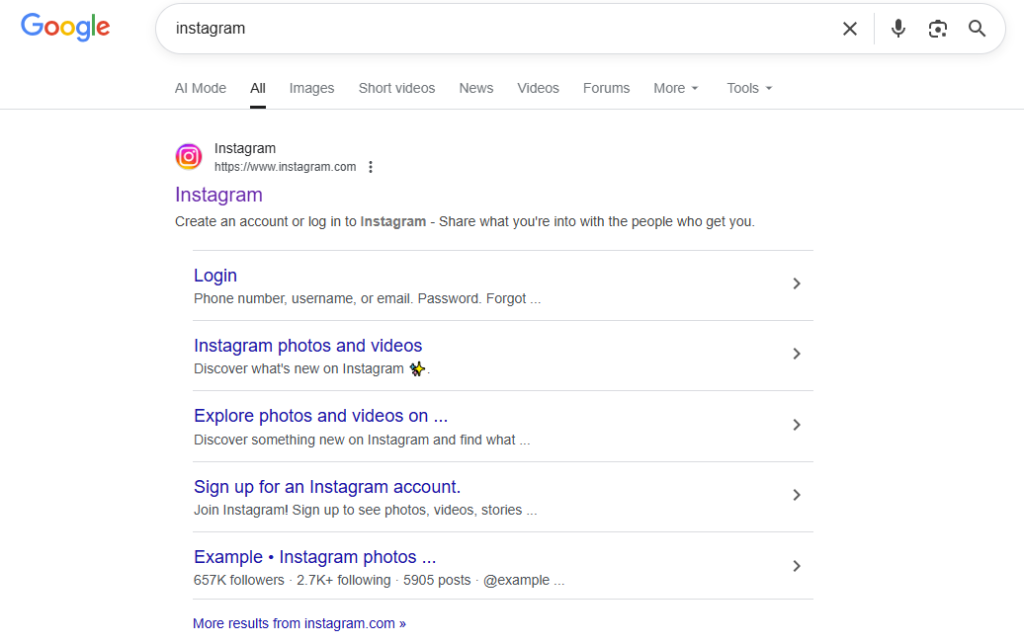
When you enter your login credentials on this fake page, your details go right to the hacker. They use your username and password to get into your account right away. After this, you may not be able to get in. So, always watch out if you get a message that asks you to log in fast.
To keep yourself safe from phishing scams, you should always:
- Take a look at the URL in your browser’s address bar. Make sure you are on the real Instagram website.
- Do not enter your login information on any page if you got there from a link you did not ask for.
Weak Passwords and Poor Credential Management
When you use weak passwords, it is almost like you leave your door open for anyone to get in. A lot of people still use “123456” or “password.” It is very easy for hackers to guess these. They use special programs that can break these weak passwords fast using brute-force attacks. If you use the same password on many websites, it puts your accounts in even more danger. That will be a big risk for your accounts. So, try to avoid weak passwords and keep your accounts safe.
If one of those sites has a data breach, your login credentials could get out. This means someone may use them to get into your Instagram. To stay safe, you should make a unique password for every online account you use. A password manager will help you create and keep strong passwords so your information stays safe.
Here are some ways that can help you keep track of your credentials in a better way:
- Make a unique password. This password should have some uppercase letters. Be sure to include lowercase letters. You will want to add numbers and symbols to it.
- Do not use the same password for Instagram and your other accounts.
Social Engineering and Direct Messaging Risks
Hackers do not just use computer tricks. They also use social engineering to fool people. Social engineering is when they lie or act in a way that makes you trust them. A hacker might say he works at Instagram. He could message you in your direct messages and act like your friend. They do this to get your password or other sensitive information. It is hard to know which attacks are fake because they feel real.
Just opening a direct message will not hack your account. The danger starts when you click on any suspicious links or open attachments inside the message. Many phishing scams use these tricks. Always be careful with messages that you were not expecting, even if they seem to be from someone you know.
Keep an eye out for these social engineering tactics:
- A person who tells you they work for Instagram support and wants your password.
- A text from a friend that needs your information right away and sounds strange.
Third-Party App Vulnerabilities
Many third-party apps say they can add more options to your instagram account. Some let you plan posts, or check who stopped following you. A few apps may be safe, but not all. Nor are they all well-protected. Some could be malicious software that looks helpful. If you give these apps access to your profile, your login credentials could be at risk.
When you join a third-party app to your instagram account, you let the maker see your account activity. If the app is not safe, someone can take your information or get into your account. It is good to be careful and think before you use any app.
To stay safe, you should:
- Always look at the apps in your account settings that connect to your account. Take out the ones you do not know or use anymore.
- Do not use apps that want too many permissions. Be careful if there is an app that looks too good to be real.
Immediate Steps to Take If Your Instagram Account Is Hacked
If you notice something strange in your account and feel someone may have gotten in, act quickly. When you move fast, you can get your account back and keep things from getting worse. Do not panic about it. There is a simple step-by-step way you can use for account recovery if you see suspicious activity.
Your first thing to do is keep your account safe. Go to the help center and talk to instagram support about your problem. You should also tell your friends about it. The steps below will help you get your account back. They will also help you make your security features better for next time.
Reporting the Breach to Instagram Support
If you can’t log in to your account, the first thing to do is tell Instagram that your account was hacked. To start your account recovery, go to the hacked account page in the help center. This is the right way to get help when you are not able to log in.
On the support page, look for the choice that matches what you need, like “My account was hacked.” Next, put in your username, email, or phone number. This lets Instagram find your account. Follow the steps you see there and send your report.
When reporting the incident:
- Tell us everything you saw about the suspicious activity. Give all the information you have.
- If your email is not the same now, follow the steps given for that. You may have to show us that it is you.
The more details you give to instagram support, the better they can help you.
Resetting Your Password and Email Credentials
If you can still get into your account, the first thing you should do is change your Instagram password now. It is important to choose a password that is not easy for someone to guess. A hacker can change your Instagram email and keep you out. So, make sure your email account stays safe too.
If a hacker gets into your email account, they can find password reset links. This might keep you out of your Instagram for good. To help with account recovery, you need to change the password for your email account as well. This gives you an extra layer of security and makes it harder for hackers to get in.
After a hack, make sure you:
- Make a strong and unique password for your Instagram and your email.
- Turn on two-factor authentication on both accounts to get extra protection.
Alerting Friends and Followers to Potential Scams
If someone breaks into your Instagram account, they may try to reach your followers. The hacker can use direct messages to share scam links or try to ask people for money. The best thing to do is tell your friends and followers about what happened as soon as possible. This helps keep them safe.
If you can still get into your account, make a post with a story or photo. Let people know that your social media account was hacked. Tell them to not click on any suspicious links or messages sent from your account.
If you cannot sign in to your account, ask a trusted friend to make a post. They should tag you in that post. You can also use another social media site to tell others what happened.
To effectively warn your network:
- Clearly say that your account has been hacked.
- Tell everyone to not pay attention to any odd messages or requests that come from your account for now.
This helps keep things from getting worse. It can also protect how people see you online.
Tips to Keep Your Instagram Account Safe
It is good to stop a hack before it takes place. These tips can help you keep your risk down. There are some easy security features you can use. The extra layer of security that comes from these features will help keep most attackers out.
Having a strong Instagram password is key to keeping your personal information safe. You should also turn on two-factor authentication. These two steps help you protect your account. Now, let’s go over some easy tips that can help your account be even safer and shield your personal information.
Enabling Two-Factor Authentication (2FA)
Turning on two-factor authentication (2FA) adds an extra layer of security to your account. It is one of the best security features that you can use to keep your account safe. When you sign in from a device that the system does not know, you have to use another way to prove it is you, with your password. This stops hackers from getting into your account.
Even if a person has your password, they still can’t get into your account without a second code. This code is sent to your phone with a text, or you get it in an app that checks if it’s you. Adding this step helps stop most people who try to get in without your OK.
To enable this feature:
- Go to “Settings.” After that, pick “Password and security.” Then click on “Two-Factor Authentication.”
- You can choose how you want to set it up. Pick an authenticator app, or get a code by SMS. Follow the steps to get everything set up.
Regularly Reviewing Linked Third-Party Apps
Another important thing for your instagram account is to watch for third-party apps linked to it. Some apps are not safe. Hackers can use them to get into your page. It is a good practice to check which apps have access to your instagram account from time to time.
In your account settings, you can see a list with all the apps and websites that connect to it. You should look at this list now and then. Take away access from any app you do not use or do not know about. This will help stop people who want to get into your account.
To manage these permissions:
- Go to “Settings and activity” first. Then, tap on “Website permissions.” Last, pick “Apps and websites.”
- Check the apps that are active there. Remove any app if you do not use it or if it looks strange to you.
This is a key part of staying safe online. It helps you have strong security features and keep your digital life protected.
How do Instagram accounts get hacked?
You may want to know how an instagram account can get hacked. There are a few main ways this can happen. A hacker might get in by using tricks or by taking advantage of mistakes that people make. Most of these problems happen because of something wrong with a computer and also because people do the wrong thing. If you know about these tricks, you can keep your instagram account safe when you login.
Attackers use many tricks to get into your account. Some of them use phishing scams. Others will try social engineering. They can also look for weak spots on other websites. There are a lot of ways your account can be at risk. Let’s look at the most common ones.
Phishing and other forms of social engineering
Phishing and social engineering are big reasons why people get their accounts hacked. The people who use these tricks try to make you give them your login details. They do this by making you feel like you need to act right away. For example, you might get suspicious emails or messages that look like they come from Instagram. These messages want you to feel rushed. They do not want you to stop and think before you enter your info.
These messages can take you to a login page that looks real. But it is fake. If you enter your username and password, the hacker will get that information. Sometimes, they use social engineering. They act like they are your friend or a support agent. They try to get your information using this trick.
To avoid these traps:
- Always be careful of messages that ask for your login information.
- Check the sender’s email address and the website link before you click or enter your details.
Security breaches on other sites
Your Instagram account may be at risk even if you did not fall for a fake site. If you use the same password at more than one place, your Instagram account can be in trouble. A break on any site where you use that password can put your Instagram login info out there. Hackers often take these personal data lists from those breaks. Then, they try to log in on other sites with the same info.
Credential stuffing is a way people get into accounts that do not belong to them. If your email and password get out from one site, someone can use computer software to try these on other big sites, like Instagram. That is why it is good to use a unique password for each account you set up.
To protect yourself from this threat:
- Use a password manager. It will help you make and keep strong and different passwords for every account you have.
- Check sites like “Have I Been Pwned” to see if your email is in any known data leaks.
Public Wi-Fi
Logging in to your accounts on public Wi-Fi in hotels, airports, or cafes may be risky. These networks do not have good protection. A hacker on the same network can read the data that goes from your device to the internet. This is called a “man-in-the-middle” attack.
If you sign in to Instagram while you are on a public Wi-Fi that is not safe, someone bad could see your login credentials. They might read this info in plain text. So, they can get into your account without you knowing. It is good not to check important accounts when you are on public Wi-Fi.
To stay safe on public Wi-Fi:
- Do not log in to important accounts. This is for accounts like Instagram and any online banking.
- If you have to use public Wi-Fi, make sure you use a VPN. A VPN helps keep what you do online safe by hiding your internet use.
Third-party apps
Letting other apps connect to your Instagram can put your account at risk. Some apps work well. However, many have problems and some get made without care. A few may be malicious software. These apps can try to take your data. If you give an app access, it can look at your account info. Sometimes, it can even change this info.
It is easy for a bad app to take your login credentials or get your other personal details. Even a real app without strong security can be a problem. Hackers can use weak spots in the app to get into your Instagram account. This is why you should be careful about the apps you use and trust.
To reduce this risk:
- Only connect apps that are made by developers you know and trust.
- To keep your account safe, look at which apps you use every now and then. In your security settings, take away access for any app you do not trust or do not need.
What hackers can do with a hacked account
When you get a hacked account, you do not just lose your photos. A hacked account can let others do wrong things. People can use your name and can trick your friends or family. This may hurt you and the people who feel safe with you.
If someone gets into your account, things can get bad. The person can send scams out to your followers. This can trick them and cause trouble. A hacker can get your personal information. The bad person might use it for identity theft. If your account has banking information, they could go after that too. Let’s talk about what may happen if someone gets into your account.
Scam your followers
One thing hackers do after they get into your account is try to scam people who follow you. They use your account and send out direct messages. The people on your friend list and those who follow you may think the messages are real. The hacker can send messages with fake offers in them. They might also act like they need help right now.
These messages often have suspicious links. They can lead you to fake sites or ask you to download dangerous software. They might talk about investment offers that are not real, scams with cryptocurrency, or giveaways that are false. A hacker may try to use the trust you and others share. People you know could give their personal information or money, thinking it is safe.
Common scams sent from a hacked account include:
- Messages that tell people to give money to a plan that says you will never lose and will always get more money.
- Phishing links that show up as personal clips or stories that try to shock you.
Steal sales revenue
If you have a business account on Instagram and you use it to sell things or offer services, getting hacked can cost you money. A hacker can get in and take your payment details. They might also change the contact info on your business account. This can make you lose sales money that you worked hard for.
They can change the payment details in your profile. They might do this when they are talking with customers, so the money goes into their own accounts. These people can also see the personal information of your customers. This can cause more problems with security and can hurt your brand’s name. If you own a business, it is very important to start account recovery as soon as you can.
A hacker could steal revenue by:
- You want to change the PayPal or bank account you use for your business.
- You contact your customers and ask them to send their money to a new account, but this account does not exist for real.
Demand ransom
Sometimes, if your hacked account gets taken, the person who gets into it can ask you for money to give it back. The hacker will get into your account and change your login information. After that, you will get a message where they want you to pay them to get your account back. That is called digital extortion. This can feel bad, especially when you have many followers or you use the account for your work.
The hacker might say that they will remove all your content if you do not pay them. They could also say they will give people your personal information or share things about you that should stay private. This makes you feel unsure about what you can do. Even if you pay the money, you may not get your account back for sure.
If a hacker demands a ransom, they might:
- They say they will take away years of your photos and videos.
- They ask you to pay with cryptocurrency, so no one can trace the payment.
Talking to Instagram support is a good way to get help with account recovery. It is better to use this than pay someone else to fix your problem.
Make illegal requests
A hacked account can be used for things that are not legal. A hacker can take your profile and then hide who they are. They might use it to do bad things. You can get into big trouble because of this. The police could think you are the person doing these things. A hacked account can also bring problems like people picking on you or scams.
A hacker can break into your account and do many bad things. They could use it to sell illegal things. Some may send hate messages or bother others. A hacker might take your personal information and try to steal who you are. If suspicious activity like this happens, it can hurt your reputation. It can also get you into legal trouble.
Examples of illegal requests from a hacked account are:
- Someone may act like they are you to get goods or services without being honest.
- A person could use your account to try and scare others or make them do what they want.
Sell your account on the black market
Your Instagram account can be valuable if you have a lot of followers. A hacked instagram account is sometimes sold to someone else on the dark web. They buy these accounts because they want to use them for their own ideas. They may use one to reach many people or push scams. Some people try to make others believe things that are not true by using these accounts.
The more people follow you, the more your account becomes valuable to criminals. If they sell your account, it can be tough to take it back. The person who bought it will want to keep it. The hacker gets money by selling your personal information and your digital identity.
People sometimes get a hacked account from the black market. Many have their reasons for this.
- Other scammers want to contact a lot of people who are already part of the account.
- Some people want to change the account name and use it like their own. They do not want to build a new audience from the beginning.
How to protect your Instagram account
Taking action early is the main way to keep your Instagram security strong. Do not put off safety until there is trouble. A few easy steps can help keep your account safe. This makes it hard for anyone to break in. You get good protection by using the right habits daily and by turning on all the security features Instagram has.
Making a strong password with a password manager is smart. It is also good to turn on two-factor authentication. This adds an extra layer of security to your account. You should not trust weird links. It is best to check from time to time who gets into your account. When you use these tools and stay careful, you lower the risk for yourself. This helps to keep your profile safe.
What to do if your account gets hacked
Finding out that your Instagram account has been hacked can be scary. Try to stay calm and follow each step to fix it. The first few hours matter the most if you want to get your account back and stop more problems. Instagram has a set account recovery process for this kind of thing, so you do not have to handle it alone.
If you see any suspicious activity on your account, the first step to take is to try resetting your password. If you are locked out, go straight to the help center and talk to Instagram support. Next, check your email for any security alerts that they send you. Let your followers know what happened on your account. Take some time to check for any third-party apps and block those that look suspicious. If you do these things fast, you can get your account back.
Things You Should Know
Knowing what to watch for can help you keep your instagram account safe. It is good to see the warning signs of suspicious activity early. A lot of people want to know what happens when a hack happens and what they can do next. If you know these warning signs and act fast, you can protect your account better.
It is good to know how to see a breach. You also want to know how to get account recovery done. This helps you feel better and in control. Many people have questions about hacked accounts. You may want to know how to tell if your account is hacked. You could ask how instagram security and other security features help you get your profile back. We will look at these questions now. This is to help you get your account back quick.
How do I know if my Instagram account was hacked?
You can find out if your instagram account was hacked by looking for some clear warning signs. A main sign is if you can’t get into your account. If your old password does not work when you try to log in, this could be a problem. Another warning sign is getting an email from instagram that says your password or email has changed, but you did not do this yourself. These are some key warning signs that your instagram account might be in trouble.
Watch your profile for anything that looks odd. This can be a post or story that you did not put up. It may also be direct messages to your friends that you did not send. If your profile picture or bio changes and you were not the one who did it, this could be a sign something is wrong. You should go to account settings. In this area, look at your login activity. Try to find devices or locations that are not yours. This can help you see if someone else is using your profile.
If you see any of these things, your account may not be safe. You should act fast. Start account recovery steps right now. This is the best thing you can do.
Recover an Instagram Account
If you still use the email or phone number on your account, account recovery is easy. Go to the Instagram login screen. Tap “Forgot password?” You can then ask for a login link or get a reset code.
Enter your username, email, or phone number. Next, follow the steps that Instagram gives you. The website will send you a link or code to your phone number or your email. Use that link or code to make a new and strong password. This way, you can get back into your account.
After you get back in, check your account for any suspicious activity. You should also turn on two-factor authentication now. This will help keep your account safe.
If you find that a hacker has changed your login credentials, this might not work for you. At this time, you will want to use recovery options through Instagram’s help center.
Get Instagram Account Back Without Access
If someone has changed your phone number and email, you can’t get into your Instagram. To start account recovery, you need to use the help center. On the login page, tap “Need more help?” You can also go right to Instagram’s hacked account support page.
You will need to give some details to show that you really own the account. Instagram might ask you to send a video selfie. In this video, you will move your head in different directions. They use it to make sure you look like the photos on your profile. You may also have to give the phone number or email you used when you set it up.
This check can take a few days. It is the best way for you to get your account back if a hacker has changed your main login credentials.
Prevention
It is always good to stop problems before they happen when you want your account safe. The best thing you can do is turn on two-factor authentication (2FA). This makes it much harder for anyone else to get into your account, even if they know your password. It helps you stay safe from unauthorized access. It keeps your information safe.
Next, you should make sure that your instagram account has a strong and unique password. A password manager can help you make and remember passwords that are hard for other people to guess. Watch out for phishing scams. Do not click on suspicious links that come in emails or direct messages. Also, never give your instagram account login details on a page that you do not trust.
Check your account’s security settings often. Make sure to go over your login activity to find any suspicious activity. If you find third-party apps that you do not know, or do not use, remove their access. These simple steps will help keep your account safe from hackers.
How to Know If Your Instagram Account Has Been Hacked
It can feel scary when you think your instagram account may be unsafe. The first step is to learn the warning signs of a hacked instagram account. Hackers can do things that you do not expect. If you see any suspicious activity, act fast. When you know what to look for, you can stop problems before they get worse.
Watching your account activity is a good way to spot problems early. If you see any of the red flags below, do not wait or ignore them. This is the time when you need to start the account recovery process to keep your account safe.
1. Sudden Password Changes You Didn’t Request
Yes, if you get an email from Instagram about your password changing and you did not do it, it can be a sign of suspicious activity on your account. Someone may have tried to get into it. The email usually comes from security@mail.instagram.com. It will say your Instagram password has been changed.
This is one way that hackers get inside. They change your password. When they do that, you will not be able to use your account. The hacker will now have control over it. The email that Instagram sends at this time is important. You have to act fast and try to get your account back.
It will usually show a link that says something like “Secure Your Account.” You need to click this link right away. This is the best way to get your profile back before the hacker can change your email account or any other details. This can help you get your account back.
2. Being Logged Out Without Reason
You are looking at your Instagram account feed, and then, out of nowhere, you are kicked out of the app. You try to get back in, but now your password does not work. A sudden log out from your Instagram account is a big sign that someone else has gotten into it without you knowing.
This can happen if a hacker gets into your account. That person might have changed your password. Sometimes, they use the “Log out of all sessions” feature and this can make you signed out. This is suspicious activity. You need to take action right away.
If you see this, do not think it is only a small error. Go to the login screen and click the “Forgot password?” link. This will help you start the account recovery process. Also, check your email to see if Instagram has sent you any message that shows new login activity.
3. Your Friends Receive Suspicious Messages From You
If your friends say they get strange direct messages from your Instagram account, you need to take this problem seriously. A hacker might be using your instagram account to send scams or phishing links. There is not any harm just by opening the message. The bigger risk is when you click on the links inside these direct messages.
Hackers try to get into your account by taking advantage of the trust your friends have in you. They send suspicious messages that often say things like, “Look at this video of you!” or mention a great way to invest. The goal is to trick your contacts and get them to click on links that are not safe. This could put their accounts at risk too.
If you see that this happens, say something to your network soon. Let your friends know that your account got hacked. Ask them to not trust any strange messages they get from you.
4. Suspicious Devices or Unknown Locations in Login Activity
Instagram has a simple way to help you check who is using your account. To find out if someone else logged in to your profile, you need to look at your login activity. This will show all the devices and places that have been on your account lately.
To do this, go to your “Settings.” After that, open “Accounts Center.” Then, look for “Password and security.” Check “Where you’re logged in.” If you see any device or login from a city or country that you or people close to you have not been to, it may be suspicious activity. This is a strong warning. Do not ignore it.
If you find a device that should not be on your account, pick it and click “Log Out”. This stops it from having access to your account right away. Doing this is good for account recovery. It helps keep your account safe from more trouble.
5. Unfamiliar Changes to Your Profile
If you notice that your profile has been changed and you are sure you did not do it, be careful. A hacker might have changed your profile picture, username, bio, or the website link in your profile. This can be the first step they take before using your account to trick people.
They can change your profile so it seems like you are someone else, or just to make your account look real. After this, they might send fake messages to the people who follow you. If you see even a small change in your account activity, you need to think of it as suspicious activity.
If you see that the profile picture on your Instagram account has changed and you did not make this change, act fast. If your bio now has text that looks strange or you did not put there, this could mean someone else has gotten into your account. You need to take steps right away because someone may be using your Instagram account without your okay.
6. Your Account Has Been Disabled or Deleted
This is one of the worst things that can happen. You try to log in, but your account has been turned off or removed. This does not happen as much as other kinds of suspicious activity. But, some hackers do this to make more trouble or to hide what they did.
If your instagram account is gone and you did not get a warning, it could be a hacker was able to get into it. A hacker can change the details on your instagram account and then delete it. Instagram says that if your account is deleted and 30 days go by, you will not be able to get your instagram account back. So, you need to move quickly if this happens.
If you find that your account is missing, you should start account recovery right away. Go to Instagram’s Help Center for help with this. You may have just a short time to prove it is yours and stop the account from being deleted forever.
Take Action Immediately
If you see the warning signs we talked about above, you need to do something right away. If you wait, it can be hard to get your account back. A hacker may use your account and make things worse. The first thing you should do is start the account recovery steps.
You need to reset the password now. If you can’t get in, use the help center and tell them your account was hacked. Check your email that you use with Instagram to see if instagram support sent you any security alerts. The emails may have links to help you keep your account safe.
Don’t wait. Hackers move fast and can take over your account by changing the phone number and email. If you act fast, you have a better chance to keep your account. When you move quickly, you might stop them from getting control for good.
How Do Instagram Accounts Get Hacked?
Hackers use different ways to get into an Instagram account. They try to trick the person who owns it. Instagram has security features that help keep your account safe. But you could lose your account if you click on a bad link. If your password is easy to guess, someone might get in.
Phishing scams use sneaky ways like social engineering or using the same passwords you have before. These scams’ goal is to take your login details. The people behind these scams want to get your information. To stay safe, you need to know how phishing scams and social engineering tactics work. Now, let’s look at one of the most common ways these attacks happen.
1. Phishing Scams
Phishing scams are often found on social media. They try to get your personal information by tricking you. Cybercriminals send you emails or direct messages that look real, but they are misleading. These messages may ask you to click a login link. Even people who know a lot about Instagram can give away their login credentials without knowing it.
To keep your sensitive information safe, you need to pay close attention to messages that feel strange. Always use different passwords for each account. If you stay alert, you will help stop phishing scams. This will keep your account safe.
2. Weak or Reused Passwords
Using the same password everywhere or having an easy password to guess can make it simple for someone to get into your Instagram account without your okay. A lot of people go for simple passwords or the same one across many places, and this opens the door for hackers to get into your account and take your personal information. A smart way to add an extra layer of protection is to use a password manager. This tool helps you have a unique password for every site you sign into. A password manager makes these passwords by mixing letters, numbers, and special marks. If you use a password manager, you can keep your Instagram account safe and make it harder for someone to break in and steal your personal information.
3. Malicious Third-Party Apps
Malicious third-party apps can be a big risk to your instagram account. A lot of these apps ask for access to your instagram profile and promise to make your social media better. But, they can let people get into your account and take your personal information. You need to look at every app before letting it use your instagram account. Make sure it fits what you want for security.
Check the apps that have access to your account often. This helps you keep your personal information and instagram safe from people who want to get in or steal your data. By doing this, you can stop unauthorized access and protect your instagram account from problems.
4. Unsecured Public Wi-Fi
Connecting to public Wi-Fi that is not secure can be risky for Instagram users. These networks often do not use strong protection. It can be easy for someone to get your login credentials and other personal data. You have to be careful when you want to log in to your account on these public Wi-Fi networks. If you need to use these, it is good to use a VPN for an extra layer of security. After you go on a public network, you should keep a close watch for any suspicious activity on your account. Unauthorized access can happen fast.
5. Social Engineering Tricks
Manipulation is common in social engineering to trick Instagram users. People with bad intentions may pretend to be a friend or someone you trust. They might send you direct messages or emails to get your sensitive information. This includes your login credentials or personal data. A popular way they do this is with fake login links that look real. Their goal is to make you enter your data on that page.
To stay safe on social media platforms, be alert when someone messages or emails you. Check first if the contact is real before you share any information. If you notice something odd or unusual, ask questions about it. Being careful helps protect people on Instagram and makes social media accounts safer.
What to Do If Your Instagram Account Is Hacked
If you feel like your instagram account has been hacked, you need to act fast. Go to the instagram account recovery page and start the steps there. After you try to get your account back, check your email for any messages about people getting into your account without your permission. Instagram will send you these notifications for any unauthorized access.
Let your followers know what is going on, so they do not trust strange messages or scams. If you are having trouble, or need help, reach out to instagram support right away. They can help you get your account safe and working again. Remember these steps for the safety of your instagram account and fast account recovery.
Step 1: Visit Instagram’s Official Recovery Page
Going to Instagram’s recovery page is the first step if you think that your account has been hacked. This page is there to help you get your account back when you see something odd in your profile. When you get to this page, you have to follow the instructions given so that you can find your account and start to get it back. Make sure you use the right login credentials, as this helps Instagram know it is you and stop any unauthorized changes. The best way to do this is to stay calm. Take it one step at a time.
Step 2: Check Your Email for Alerts
Getting alerts in your email is a good way to keep your instagram account safe from hackers. You should watch for messages that talk about suspicious activity. This can be when someone tries to log in without your OK or changes something in your account. Instagram will also email you if your login credentials have been taken by someone.
If you see any alerts that do not make sense, you should act fast. Lock down your account right away. Keeping an eye on these emails helps you protect your personal information. It can also stop unwanted or unauthorized access to your instagram account.
Step 3: Alert Your Followers
Let your followers know right away if your instagram account gets hacked. Tell them that your account was broken into. This helps people watch out for any suspicious messages or links that may come from your hacked instagram account. Doing this shows you care about them and helps build trust in your online community. Remind people how important security is. Ask them to look at their own accounts for any unusual activity. A quick warning from you can give everyone an extra layer of protection.
Step 4: Report the Breach to Instagram
If you notice any suspicious activity in your account, you should report it to Instagram as soon as you can. Go to the help center and follow their steps to send in your report. Tell Instagram about any unauthorized changes, new messages, or other account activity that is not yours. The more you tell them, the better it will be. This makes Instagram check your hacked account faster. If you do not wait too long, you have a better chance to get your account back and keep your personal information safe. So, make sure you stay alert and act fast.
Can You Recover a Deleted Instagram Account?
Recovering an instagram account that you deleted depends on what you did. If the account was only turned off for a short time, you can get it back. The process is easy, and does not take much time. But if you deleted the instagram account all the way, it is not simple to bring it back. After some time, it may be gone for good. You should read the rules from Instagram to learn what you can do.
Was the Account Permanently Deleted or Just Deactivated?
To see if your instagram account is deleted or just turned off, try to log in. If you can’t get in, and the recovery options do not work, the account might be gone. If you get in but the instagram account does not work right, it could be just turned off. You should check recovery options to find what to do next.
How Much Time Has Passed Since Deletion?
The recovery of an instagram account that was deleted depends on how much time has gone by since it was removed. If you deleted it not long ago, you may still have a chance to get it back. But if your account has been gone for a long time, it might not be possible to recover it. After some time, it could be gone for good.
What If the Email Was Changed Before Deletion?
If the email you use with your instagram account was changed before you deleted it, it can be much harder to get your account back. Try to get back into the email if you can. If you cannot, contact instagram support right away. Give them all the things you have that prove the account is yours.
Can You Contact Instagram for Help?
Yes, you can get help on Instagram through their Help Center. You can fill out forms there if you have read about any suspicious activity on your account. The Help Center will ask you to give your account details and tell them more about what is going on. Response times will be different, but the team can help with safety problems.
How to Prevent Your Instagram from Being Hacked
Keeping your Instagram account safe starts with good habits each day. A strong and unique password is a must. A password manager can help you keep track of the passwords you use. Turn on two-factor authentication to add an extra layer of security. This way, it gets much harder for someone to get into your Instagram account without you knowing.
Check your account settings often to spot any suspicious activity or unauthorized changes. Be careful with any suspicious links, emails, or direct messages. These things can try to get your info in a sneaky way. Always keep the app up to date, too. You will get the newest security features and stay safer this way.
Use Strong, Unique Passwords
Making strong and special passwords is very important to keep your Instagram account safe. Do not use things like your birthday or your pet’s name. People can guess this kind of personal information. Mix big and small letters, numbers, and symbols when you make your password. This helps make it harder for others to guess. A password manager can help you make and keep track of hard passwords. Do not use the same password for all your accounts. If you do, someone could get into your Instagram account without you knowing. By giving close attention to how strong your password is, you add a layer of protection. This keeps hackers and data leaks away.
Enable Two-Factor Authentication (2FA)
Adding an extra layer of security to your Instagram account makes it harder for others to get your personal information. Two-factor authentication (2FA) makes your account even safer. When you turn it on, there is a second step any time you log in. You use a text or an app for that step. Even if someone knows your login credentials, they still need the special code to get in. This stops most people who want unauthorized access. That extra layer also helps protect you from phishing scams. It keeps Instagram users safe from people who use social engineering tactics to try and trick them.
Review and Remove Risky Third-Party Apps
Checking your instagram account for risky third-party apps is important to keep your account and personal information safe. Some apps will ask to get into your profile and private info. These apps can make it easy for people to get unauthorized access or cause identity theft. So, you need to watch out for any apps that you do not know connected to your instagram account.
A password manager can be a good way to handle this. It lets you give access only to trusted services. If you find and take out any apps that feel wrong or you do not know, you should also change your instagram password. This adds another strong layer of protection to your instagram security and personal information.
Think Before You Click
The way you click on things matters for your safety on social media. Be sure to check links first, such as those you see in direct messages or strange emails. Many phishing scams look real but might try to get your login credentials or personal information. If you move your mouse over a link before you tap it, you can see which website it goes to. This makes it less likely for you to get malicious software or be tricked by scams. When you do this, you can stop others from getting unauthorized access and keep yourself safe from identity theft on your social media accounts. By using these simple steps, you make your Instagram security better and protect your personal information.
Educate Yourself and Your Team
To stay safe on social media, it is good to keep up with the latest threats. When you and your team do training often, you learn how to spot red flags, like suspicious emails and phishing scams. This training also helps you know more about Instagram hacks. Make sure everyone knows how important strong and unique passwords are. Use two-factor authentication for an extra layer of security. If you all stay alert, you can help stop unauthorized access and keep sensitive information safe.
6. Keep the App Updated
Keeping the Instagram app updated helps protect your account. When you get the latest update, you get fixes that keep out malicious software and people who try to get unauthorized access. If you use an older version, there is more risk of someone hacking in, and your data will not be as safe. You should also update the operating system on your phone. This helps the security features and privacy settings work better with the Instagram app. Check for updates from time to time, so you will stay ahead of threats and keep them away.
Conclusion
It is important to be alert to keep your instagram account safe from people who are not allowed to see it. You need to know the warning signs and act fast if you have to follow steps to get your account back. This helps keep your personal information safe. A strong and new password for each social media account gives an extra layer of security. Be sure to turn on two-factor authentication. Remember, social engineering tactics like phishing scams can happen to anyone online. Because of this, it is good to be careful every time you use social media accounts. Stay aware and always take steps so that people who should not have access do not get in.
Frequently Asked Questions
Can Instagram be hacked by just opening a direct message?

Yes, Instagram accounts can be hacked if you click on bad links in direct messages. If you click on these links, you might go to a fake page or get malware on your device. This can help hackers get into your account. Always check who sent the direct message. Stay away from suspicious messages to keep your account safe.
How can I recover my Instagram account after it’s been hacked?

To get your hacked Instagram account back, go to the official recovery page. Follow each step there and reset your password. Check your email for any news or alerts about your instagram account. Tell your followers about your hacked instagram account, so they know what is going on. Report this problem to Instagram. They can help you get back into your account.
Does enabling two-factor authentication really protect my account from hackers?
Turning on two-factor authentication (2FA) helps make your account safer. When you use 2FA, you have to take another step to log in. So, it’s much harder for someone to get into your account. 2FA is not perfect, but it does help stop issues from weak passwords and keeps you safe from people who try to trick you through fake emails.
How do I know if I’ve been hacked? : Instagram
Some signs that show your instagram account may be hacked include your password changing when you did not do it, logins from places or devices you do not know, seeing weird messages sent to people, and not being able to get into your profile. If you notice any of these, you should act fast.
What do I do if my Instagram was hacked?
If you find that your instagram account is hacked, go to the official recovery page right away. Check your email for any messages about unauthorized changes. Tell your followers about what happened to your instagram account. After you do this, report the problem to instagram. This will help you stop more trouble on your account.
Can my Instagram account be hacked?
Yes, people can hack your Instagram account in several ways. Some common ways are phishing scams, weak passwords, and bad third-party apps. To keep your account safe from unauthorized access, you need to be alert. Use good security habits so no one can get your info or get into your instagram account. This is how you protect your account.
How do I know if my Instagram account was hacked?
You need to watch out for signs that your instagram account may be hacked. These signs can be password changes that you did not do. You might also see login activity at times or places you do not know. Sometimes, messages you did not send might go out. Your followers could get strange content from you. If you spot any of these, act fast to keep your account safe.
Are you worried that your Instagram account could be hacked?
If you feel worried about your Instagram account, you should pay attention to it. Make sure you check your account often to find any unusual activity. A strong password will help keep you safe. Setting up two-factor authentication adds extra protection. Stay away from suspicious links or messages because they can put your account at risk. Put your online safety first all the time.
How Do Hackers Crack Two-Factor Authentication Security?
Hackers can break through two-factor authentication, or 2FA. They use tricks like phishing, SIM swapping, or installing malware. They may try to take the code you use for 2FA. Some people use social engineering or other social engineering tactics to fool users. They want to get into your accounts. Because of this, you have to always stay alert!
What Does it mean for your account to get hacked?
When your account gets hacked, someone can see your personal information. That person is not supposed to have it. They might change your settings or share posts. They can also talk to your followers. This can lead to someone stealing your identity or cause privacy troubles. It might even hurt how you look to other people. So, you need to act fast to keep the risk low and stop any more problems.
What Should You Do If Your Facebook Gets Hacked?
If your facebook account gets hacked, the first thing you need to do is change your password. After that, turn on two-factor authentication. Check your account for anything you did not do yourself. Tell your friends to be careful about messages or posts that seem odd. Report the problem to Facebook. Follow the steps they give you to get your account back. Be sure to watch what happens with your facebook account to keep the it safe.
How Can You Prevent Hackings On Instagram?
To stop hacking on Instagram, you should use a strong password that is only for this account. Turn on two-factor authentication (2FA), so it is tougher for anyone else to get in. Check which third-party apps are connected to your account, and take out any you do not want or use. Always watch out for links and emails that look strange, because some may try to fool you. Keep your app up to date to make sure you have the best security.
What are the warning signs that your Instagram account may have been hacked?
Unusual activity is one of the things you need to watch for in your Instagram account. This means there might be posts or messages that you did not make. If you see that someone tried to log in from a location you don’t know, or if you get messages saying your password was changed when you did not do it, then something might be wrong. These signs show that your instagram account could be at risk.

