
Key Highlights
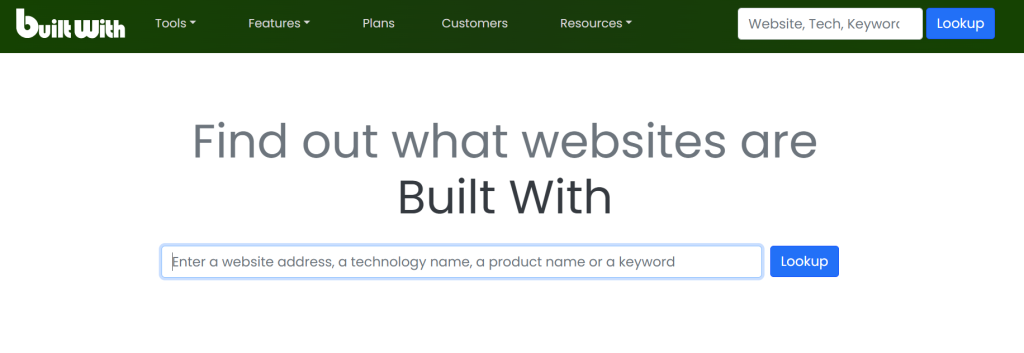
- BuiltWith is a website technology checker. It shows you the tools that any site uses.
- You can find a website’s CMS, analytics tools, and frameworks quick and easy.
- Use the browser extension. It helps you learn about website technology as you surf the web.
- This tool is good for checking which ecommerce platform a competitor uses.
- BuiltWith will do more than show what tech is there. It also helps with lead generation and market analysis.
- You can compare other technology profilers and pick the one that is best for your needs.
Table of Contents
Introduction
Have you ever seen a nice website and asked yourself, “How did they make this?” You are not alone. A lot of people feel this way too. Many people want to know what you can find under the surface of a site. A tool like a website technology checker can help. BuiltWith is a good example. It is a strong website technology checker you can use in your browser. BuiltWith helps you see things like the CMS, what analytics tools they use, what frameworks you get on the site, and more. You get a simple way to find answers about a website’s analytics tools and how it works.
How BuiltWith Technology Lookup Works
So, how can you find out what tools and software a website uses? A technology profiler such as BuiltWith makes this easy. It looks at the code of the website and checks how its pages are set up. The tool looks for hints that different things leave behind in the code. Because of this, it can find the frameworks, plugins, and services that the site uses.
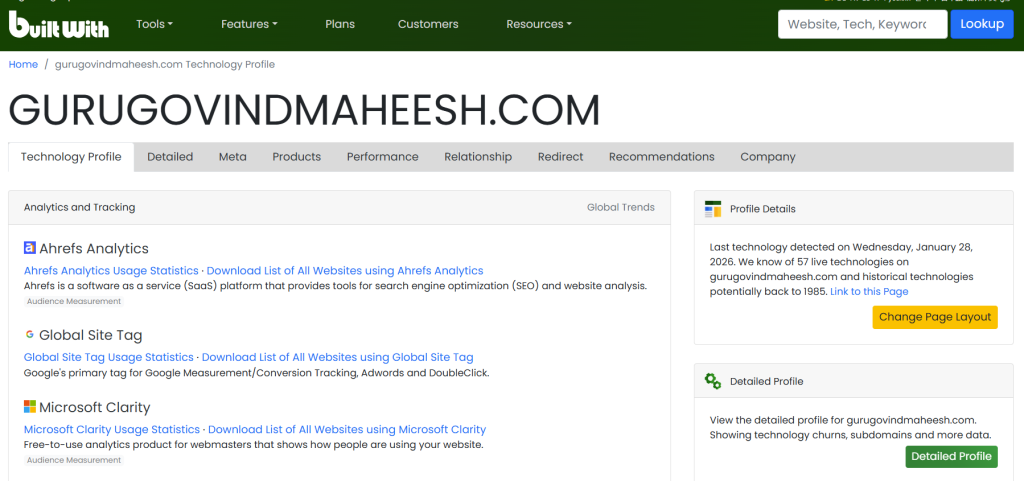
This website technology checker looks at a website to find details like unique code, file spots, and HTML tags used by many platforms. It gathers all this and gives you a clear report. The report shows things like analytics tools, server software, and other tech the site uses. It is good to read the developer’s privacy policy. This way, you know about the usage of your data.
Understanding BuiltWith’s Approach to Website Analysis
BuiltWith is a tool for checking websites. You add a URL to it, and it looks at the web page. It shows you what technologies the page uses. It does not stop at the first look. The tool checks many areas of the site. You get a full profile of the site’s technologies with BuiltWith.
The analysis checks the source code of the website. A website technology checker looks at the raw HTML on the page. It looks for things like scripts, stylesheets, and meta tags. These things can show what kinds of website technologies are there. For example, it will tell you if your website uses a cms like WordPress. A website technology checker can also find analytics tools that are in the code. This helps people know more about analytics and which tools their website uses.
This way, you can see more than just the big things on a site. You also get to check out the smaller parts that help the website run. With BuiltWith, you can find out about everything, from javascript tools to font scripts. BuiltWith shows you how the site was made, and it helps you know what makes it work.
Key Features and Capabilities of BuiltWith Technology
The BuiltWith technology profiler does more than tell you the basics. It comes with many features that help you understand things better. It does not matter if you are a developer, a marketer, or if you own a business. These tools help you get the details you need to make good choices about technology.
The platform is great if you want to know how a site is made. Have you ever seen a really great WordPress site and wanted to know what makes it stand out? BuiltWith can help you learn about the main things the site uses. Here is what it can do:
- The tool can find out which WordPress theme and WordPress plugins the site uses.
- It can also tell you the ecommerce platform. This could be Shopify or WooCommerce.
- The tool will show you what analytics and marketing tools are running on the site.
These features are good for market research and lead generation. If you know what technology tools your possible clients use, you can change your pitch and your marketing to fit them better. For instance, you can make a special list of the companies that use a certain technology. This way, your sales team can get ahead of others.
Comparing Website Technology Detection Tools
While BuiltWith is a good technology profiler, it is not the only website technology checker you can use. There are many other apps for this. These apps do what BuiltWith can do, and some offer extra features. So, if you want to check website technology, you have more than one choice. Each app has its own good points.
Apps like Wappalyzer and some other analytics tools help you find out which frameworks, content management systems, and analytics a website uses. When you know how these platforms work in small ways, you can choose what is good for you. Some of these apps are good for fast checks. Others are better for people who want more information for their business. Now, let’s see how these analytics tools and apps compare with each other.
Differences Between BuiltWith, Wappalyzer, and Ful.io
When you look for a technology profiler, the names BuiltWith and Wappalyzer often come up. These tools help you see what technology runs a website. Each does this in its own way and comes with its own features. BuiltWith has a big database and strong tools for business. People also use it for lead generation and other business jobs.
Wappalyzer is a popular browser tool. Many people like how it looks and works. It finds technology details fast. You can get it as a browser extension.
This article talks about BuiltWith and Wappalyzer. There is also Ful.io. It works in this field too. Ful.io has a feature to look up technology. This is part of a bigger sales and marketing system.
browser, builtwith, wappalyzer
Here’s a quick look at the main things that make them different:
| Feature | BuiltWith | Wappalyzer |
|---|---|---|
| Primary Focus | Lead generation, market intelligence | Quick technology identification |
| Chrome Extension Rating | 4.3 stars | 4.6 stars |
| Key Strength | Comprehensive database and business lists | Simplicity and speed |
In the end, the best tool will depend on what you need. If you need to do a lot of market research, BuiltWith is good for that. It gives you deep data so you get more out of it. If you want quick answers in your browser, Wappalyzer is a good pick. This technology profiler works fast when you want to check things on the go.
BuiltWith Technology Lookup vs. Browser Extensions
Yes, there are browser extensions that show you what a website is made with. This is one of the best and fast ways to do a technology lookup. The BuiltWith technology profiler is an extension you can use. You can add it to your browser. When you visit a site, just click once. The builtwith technology profiler will show you what tools or tech the website is using.
These browser extensions give you many good things. You can look at websites fast. They are easy to use. You do not have to leave the page you are on. You can see what tech is working in the back right there. There are some more good things you get, like:
- You get instant access to data about technology.
- The interfaces are simple and easy to use.
- You can look at and check sites while you browse like you always do.
Browser extensions work well when you need to check something fast. But if you want more analytics, the BuiltWith web platform is better. You get advanced filters, lead list tools, and past technology data on the website. A simple browser plugin will not give you every one of these things. The extension is good if you want speed. For deep research, the full platform is the best option.
Applications of BuiltWith Technology in Business
BuiltWith is not just something you look at when you feel curious. The BuiltWith tool is very good for people who work in the business world. It helps with things like market study and finding leads. BuiltWith takes tech data and turns it into something you can use. This makes it easier for sales and marketing teams. You will be able to find and pick leads in a new and better way.
When you find out which ecommerce platform, CRM, or analytics tools a company uses, you can look at the way to talk to them in a new way. This helps you make your message better. It will fit what they need and work well. The data from analytics can help you in many ways. It is good for learning what other companies do and for making a plan for your SEO. This way, you can get a better place in the market. Now, let’s see how you can use these ideas with market research and get new ways to understand what others are doing.
Market Research and Lead Generation with BuiltWith
One good way to use BuiltWith is for market research and lead generation. You don’t have to go after everyone. You can group possible customers based on the technologies they use. This helps a lot for SaaS companies, marketing agencies, and anyone who has a product that fits with a certain tech stack.
If you have a plugin for an ecommerce platform, you can use BuiltWith to see all the websites that work on that platform. This helps you find people who may need or buy your plugin. Here’s how it helps:
- You can use analytics tools or a CRM to find people who want your services.
- These help you make lists and use filters for technologies. This lets you do better marketing for the right people.
- You can take contact data out. This makes your sales process faster and easier.
This level of detail lets you stop guessing and start using real data in your outreach. If you focus on companies that need your services, you use your time in a good way. You also get a better chance to do well when you look into your market.
Using BuiltWith for Competitive Analysis and Tech Stack Insights
Knowing who your competition is can be very helpful. You get to see what they use in their tech stack. This can give you an edge over them. With builtwith, you can take a close look at what tools and systems your rivals use. This helps you know what they think is important. You can also see where they spend money and where they might not be strong.
Are your competitors using a better cms or analytics tool? When you look at their site with BuiltWith, you can see these details. This tells you about their marketing, how much they care about the user, and how they do things on their site. You can also find out what frameworks, libraries, and other tools they have on their website.
With this knowledge, you can make better choices for your business. The information helps you decide if you want to try a new technology. It shows you where your competitors’ tech tools are missing something, so you can use that to get ahead. You can also look at how your team works compared to the best companies in your field. Doing this kind of check on your competitors helps you stay ahead of them.
Conclusion
To sum up, BuiltWith Technology Lookup is a good tool to find out what a website uses for its tech. BuiltWith has many useful features. The tool gives you the data you need for market research and finding leads. It can help you compare tech stacks, too. You can also check what your rivals use, which is easy with this site. When you use builtwith, you can make choices that help your business go forward. Try BuiltWith today and see what it does for your plans!
Frequently Asked Questions
How accurate is BuiltWith in detecting website technologies?
BuiltWith helps you find out what technologies are on a website. You can see things like a CMS, analytics tools, and JavaScript. But there might be some backend systems or websites where the developer changed things a lot. BuiltWith might not find these much, because there may not be many clues in the site’s code. You should always think about the developer’s privacy policy and how they handle the usage of your data.
Can I use a Chrome extension to identify built with technology on sites?
Yes, you can do that. BuiltWith has a Chrome extension. You can use it to see what kind of technology a website uses. Just click once. Many other technology profiler apps also make browser add-ons. These tools help you get quick info about the tech on the page you visit. You do not have to leave the page to use them.
Are there other tools besides BuiltWith for technology lookup?
Yes, there are other good apps besides BuiltWith to find out about technology used on websites. Some of the popular ones are Wappalyzer, WhatRuns, and Snov.io’s Website Technology Checker. Each website technology checker can give you different features. You can choose the one that works best for you when you want to know a site’s cms or analytics tools. These apps help you see what analytics or cms a website is using.

