

Key Highlights
- Picking the best WordPress SEO plugin is important if you want to help your search engine optimization.
- These top plugins come with many SEO features. You will find things like content analysis and XML sitemap creation.
- A lot of plugins also work with Google Analytics. This helps you track plugin data and see your site performance.
- In this guide, you get a look at several top choices. It talks about Yoast SEO, Rank Math, and All in One SEO to help you pick the best.
- You can read about key features, compare free versus paid options, and get setup tips for your WordPress site.
- Find expert recommendations. They will help you boost your rankings and get a better user experience right now.
Introduction
Are you trying to get your WordPress site noticed by search engines? A strong SEO plugin can help you do that. Search engine optimization, or SEO, brings more people to your website and helps you build your audience. Many people think SEO is hard to do. The best WordPress SEO plugin makes things easy for you and your site. You will be able to make your content better, give people a good experience, and talk to search engines like Google in the right way. Let’s find the best WordPress SEO plugin that will help you lift up your site and get the results you want.
Table of Contents
Best WordPress SEO Plugins to Optimize Your Site Today
It can be hard to pick the best WordPress SEO plugin for your site. The right seo plugin depends on what you need. Think about how easy it is to use, ways you can work on your content optimization, and what seo features come with it. A good wordpress seo plugin needs to help your website’s seo without making things feel too tricky or confusing.
This guide shows you many good choices, each with its own special things. You may be just starting, and need something easy to use. Or you might know a lot, and want strong and powerful features. We will talk about the plugins that help make your website’s SEO better and help it go higher in search results.
1. Yoast SEO Plugin: Leading the Way in WordPress SEO
Yoast SEO is one of the most popular SEO plugins for WordPress. A lot of people use it, and there is a good reason for that. It gives you a lot of tools to help you make your website better for searches. This is true even if you are new to SEO. The plugin has a very easy-to-use setup. You get feedback on your writing right away.
One of the things that makes this tool special is its detailed content analysis. It checks how you use keywords, meta tags, and other things on your page. The tool also gives you a readability analysis. This helps make sure your content is easy for people to read and get, which is good for the user experience.
Yoast SEO lets you see how your pages will look on social media with its social previews. You can use its free version to get a lot of features. The premium upgrade gives you more strong tools. This helps make your SEO better, and it gives you a good base when you use it with other plugins.
2. Rank Math: Powerful Features for Every User
Rank Math is very popular with people who use WordPress. The free version comes with many strong tools. The user interface is clean and easy to use. The setup wizard helps you start working with it quickly, and it does most of the work for you. It is simple for anyone to set it up and get going.
What makes Rank Math different from plugins like Yoast is the many advanced features that come at no cost. For instance, it lets you use several focus keywords. You get advanced SEO analytics right inside your dashboard. Rank Math also has a built-in module for schema markup. This means you can put rich snippets in your content, and you do not need another plugin for it.
You can bring in SEO data from plugins like Yoast with just one click when you use Rank Math. This makes moving your information easy. Rank Math comes with tools to keep track of your search engine rankings. It also lets you check your site’s SEO with 40 different things. With Rank Math, you get what you need to help more people find your site.
3. All in One SEO: Versatile and Beginner-Friendly
All in One SEO (AIOSEO) really does what the name says. It gives you a full and easy way to do SEO for WordPress. AIOSEO is known for its ease of use. There is a setup wizard that helps you get started, step by step. The wizard makes sure your website content is set up well for search engines from day one. So if you are new to SEO, AIOSEO can be the best choice for you.
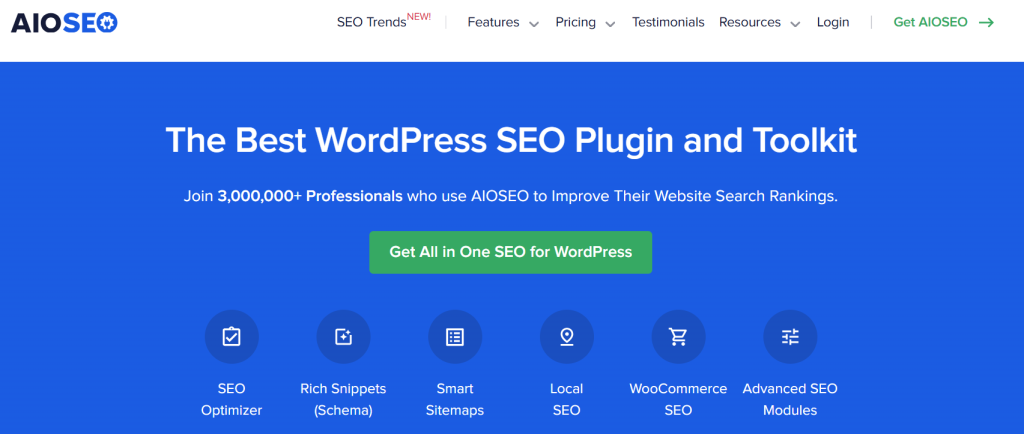
The plugin helps with every important part of your SEO strategy. You can make XML sitemaps, and also work on your titles and meta descriptions. AIOSEO gives strong help with social media, so you have control over how your content shows up when people share it on Facebook and Twitter.
For businesses that have a shop or office, AIOSEO gives you strong local SEO features. This helps you show up higher in local search results. AIOSEO uses a simple way and also has many good seo features. It is one of the most complete tools for those new to SEO. So, you can make your website more visible without a hard or long learning process.
4. SEOPress: Advanced Yet Affordable Optimization
SEOPress is an SEO pack for WordPress. It gives you many advanced features at a price that is not too high. A big plus is that it the whole tool can be white-labeled. There are no ads or marks on your site, not on the frontend or in the backend. This makes the tool good for people like agencies and developers who want a clean look for their sites.
The plugin gives you many tools you can use. It lets you add different schema types. This helps you get rich snippets in search results. You can add structured data for things like articles, events, and products. Doing this can help more people click your site from search results.
Some people might not like that the free version gives you fewer advanced features. A lot of the best tools be saved just for the pro version. But, the pro version costs less than what many other brands ask for. You get unlimited sites and strong tools that help your website’s SEO. Even if you move up to pro, you won’t spend too much.
5. MonsterInsights: Analytics for SEO Success
MonsterInsights is not a regular all-in-one seo plugin. But, it is the best google analytics plugin for WordPress. This makes it an important tool for anyone who wants seo success. With it, you can easily connect your website to google analytics. You will be able to see your key website data right in your wordpress dashboard.

Knowing about your website traffic is important for your SEO strategy. MonsterInsights shows you this information in simple reports. You will be able to track which pages people visit the most. You can see where your visitors are coming from. You also get to find out how people act on your site. All of this happens without leaving your site. The SEO analytics data that you get can help you make good decisions. These choices can help you improve your content.
If you have an online store, MonsterInsights helps you with ecommerce SEO. You can keep track of sales with it. Look at your conversion rates, and see which products sell the most. The tool comes with a free version, so you do not have to pay to get great results. If you upgrade to premium, you will get even more data. This extra info can help you grow your online store.
6. SEMrush SEO Writing Assistant: Content Optimization Made Easy
The SEMrush SEO Writing Assistant is a tool made to help with content optimization. It works right in your WordPress editor. This plugin gives feedback while you write. It helps you make your content good for search results and interesting for your readers.

The plugin looks at your text. It gives suggestions to help you match your keywords. It also checks how easy your text is to read. You will see ideas for words that are related to your main keywords. The tool reads for tone and keeps it steady all the way through. This helps your content be full of keywords, feel good, and read well for everyone.
Many experts say this tool is good because it helps connect keyword research and writing your content. The SEMrush SEO Writing Assistant can help you write better and make your articles more optimized. This, in turn, can improve your SEO performance and help your best pages rank higher.
7. Google Search Console Integration for WordPress
Adding Google Search Console to your WordPress site is a must if you want to do SEO right. You can go to search console on your own, but it is much easier if you use a plugin that puts this google search data in your dashboard. That way, you see all the info where you need it and can use it better. There are some good SEO plugins for WordPress that make this connection for you.
This connection gives you plugin data about your website’s SEO. The data comes straight from Google. You can check which keywords your site ranks for. You get to see if there are any crawl errors that may hurt your search engine rankings. Plus, you can know the indexing status for every page. This helps your SEO performance.
Having search console data ready makes it easy for you to keep your site in good shape. You can also use it to make smart choices. For example, if you notice one of your pages is not showing up right in search, you fix the issue fast. You get direct access to the data from Google, and this helps you check how your site is doing and make it better as time goes on.
8. Ahrefs SEO Plugin: Backlink & Keyword Insights
The Ahrefs SEO plugin gives you strong tools for search engines right in your WordPress dashboard. Many people know Ahrefs as a big web platform. The WordPress plugin helps you with the seo tool in a new way. It lets you see useful tips fast for improving your site. This wordpress plugin is good for checking your content and seeing how well it does.

This plugin can help you check how well your content is doing. It shows data about traffic and backlinks. A backlink from a trusted site tells search engines that what you have written is useful. This tool lets you see the pages that get the best backlinks.
While it is not a complete on-page tool like Yoast or Rank Math, it gives you the data you need to make smart choices. It makes keyword research simple and lets you see how other sites and search engines look at your content. This makes it a good tool to have in your SEO work.
9. WP Rocket: Website Speed for Better SEO
WP Rocket may not be a usual SEO plugin, but it is a strong caching plugin. It can help a lot with your SEO. A slow site can hurt your Google rank and also make it hard for people to use your website. Fast loading is important. WP Rocket is made to help your site it load very fast and you do not need to set up much for it.
This plugin helps make your site faster. It uses several ways to boost site performance. It has page caching, browser caching, and GZIP compression. These all help your site load quick. There is lazy loading for images. It also keeps your database running smooth. All these steps cut down how long your site takes to open.
If your website is quick and works well, WP Rocket helps make your SEO better. Search engines want to send people to sites that give a good user experience, and the speed of your site is a big part of this. When you use WP Rocket with a seo plugin, you can make your site performance even better. Both work together to help your site show up more in search engines.
10. Redirection: Manage Redirects Seamlessly
Redirection is a must-have plugin to keep your website working well. As a site gets bigger and content changes, this plugin is very useful. The main job of the plugin is to help you handle redirects. This guides people and search engines from an old page link to a new one. With this, you can keep people from seeing a “404 Not Found” page.
The plugin helps you set up 301 redirects fast. This lets any SEO value from your old link go right to the new one. It also has a 404 monitor. This tracks every broken link that visitors find on your site. You can fix these links right from your WordPress dashboard.
Redirection has a simple user interface and an easy setup wizard. This makes it simple to set up and use. Handling redirects the right way is very important in technical SEO, but many people do not think about it. This plugin helps you give users a smooth path on your site and keeps your link value safe. So when you change the structure of your site, your search rankings stay protected.
11. Schema Pro: Structured Data Enhancement
Schema Pro is a top plugin made to help you add schema markup to your WordPress site fast and easy. Schema markup is a piece of code that lets search engines read and know your content better. Using Schema Pro can help you get rich snippets in search results. These snippets can show things like star ratings, prices, and FAQs.
Unlike other all-in-one plugins that give you only a few schema options, Schema Pro lets you use many different schema types. You can add markup for things like articles, recipes, products, events, or local businesses with this plugin. The process is done for you, so you do not need to know any coding at all.
By using this advanced structured data, you can get a higher click-through rate in search results. If you run a business, local SEO schema helps you be seen more in local search packs. Schema Pro works well with other SEO plugins. This lets you take your on-page optimization higher.
12. Squirrly SEO: AI-Powered Assistance
Squirrly SEO gives you help with search engine optimization by using AI. It helps while you make your content. The tool works like an SEO expert who guides you as you work. It tells you what to do next to help your pages show up in search results. This is good for people who feel stressed or confused by regular search engine optimization steps.

The plugin comes with many seo features. You get keyword research, content analysis, and site audits. As you write, Squirrly gives feedback in real time. It uses a simple green light to show if your content is ready. This AI-powered SEO guidance helps you work on articles that will do well.
By looking at plugin data and how your site works, Squirrly shows you ways you can get better and helps you see how you change over time. It wants to make SEO easy to understand for everyone, whether you are a blogger or a business owner.
13. Broken Link Checker: Maintain Site Health
Keeping your website healthy matters a lot for user experience and SEO. Broken links can hurt both. The Broken Link Checker plugin helps you find broken links inside your site and outside, plus missing images. It makes it easy to fix these problems. With this tool, you can keep your site neat and working well.

This broken link checker looks through your posts, pages, and comments in the WordPress dashboard. It finds any broken link and makes a list. You can then fix or remove these broken links from the dashboard. You don’t need to open each page yourself. This helps save you a lot of time.
Fixing these issues matters because too many broken links can make search engines see a site as low-quality. That can hurt your search engine rankings. Some all-in-one SEO plugins come with a 404 monitor. But this tool gives a full way to check link health. It helps make sure people have a good experience when they come to your site.
14. W3 Total Cache: Speed and SEO Optimization
W3 Total Cache is a widely used caching plugin. It can help make your website run faster. This also helps your SEO go up. A lot of developers and hosting companies say good things about it. This plugin has many features. These features improve site performance and lower the load on your server.

This caching plugin does more than just cache pages. It also has options for database caching and object caching. You can use it with a content delivery network (CDN) as well. This tool is more advanced than some other caching plugin choices, like WP Rocket. It might take some time to learn how to use it, but you will get good control. This can be great for people who want extra features and more ways to adjust how things work.
W3 Total Cache can help your site run better. A faster website makes people stay longer and leave less often. This is good for you and helps your site look better to search engines. W3 Total Cache also has tools to help with image SEO. It lets images load in a way that works better for visitors. This can give your site a boost in site performance, search engines, and image SEO.
15. WP Meta SEO: Bulk SEO Edits Made Simple
WP Meta SEO helps you manage meta tags on your website fast. It is good for websites that have a lot of content. You can do many SEO edits at once, right from the WordPress dashboard. This means you do not need to open each page one by one to change your meta tags.

With the bulk editor, you can change SEO titles, meta descriptions, and other main details for all your posts and pages in one go. This helps a lot if you have a website that has been up for some time. You might want to use a new SEO strategy, or clean up content that is not working well for search engines. This tool lets you do all that at once, instead of one by one.
The plugin comes with a setup wizard to help you get started fast. It also has other useful tools, like an XML sitemap creator and a way to manage 404 error redirects. If you want a simple way to make many SEO changes at once, and you do not want lots of hard settings, WP Meta SEO can be a good option.
16. Premium SEO Pack: All-in-One Toolkit
The Premium SEO Pack comes with many powerful features to help your website’s SEO. It gives you the tools that most people have to buy one by one. This seo pack puts everything together, so you save money if you want more than just basic help with SEO.
This SEO pack helps you make your on-page content better. You get a SERP tracker so you can see where your keywords rank on Google. There is a tool to check how fast your page loads. It offers other great features. A 404 monitor lets you see when you have broken links. Rich snippets help you show extra details in search results. A link builder helps you set up a good plan for linking pages inside your site.
The Premium SEO Pack helps you manage all parts of your website’s SEO from one place. You get many features that work together. This lets you keep your work simple. It also helps you stop problems that can happen when you use more than one SEO pack or separate tools.
17. Rankie: Keyword Tracking for WordPress
Rankie is a WordPress plugin made for tracking keywords. A lot of SEO plugins have some rank tracking features, but Rankie is built to do this job really well. It gives you clear reports and past data. You can view all this information from your WordPress website dashboard.

This plugin lets you watch your search engine spots for your chosen keywords. It gives you daily reports, so you know how well your SEO is going as time goes on. You can also look up new keywords and get ideas that help with your content plan.
Rankie is built to focus on keyword tracking and reporting. It gives you deeper SEO analytics than other plugins that try to do everything. The plugin data helps you see how you are doing, what is working for you, and what you might need to do to move up in the search results.
18. KeywordTool.io: Keyword Research on WordPress
KeywordTool.io is mostly seen as a web-based seo tool. But, it can work well with WordPress. This helps you with keyword research. A good search engine optimization plan starts with finding the right keyword ideas to focus on. This tool gives you hundreds of keyword ideas that fit your needs.
It does not only give a few ideas. It gives a big list of long-tail keyword choices that many people look for on Google. This way, you can find words that are not as hard to rank for. These words help bring the right people to your site.
By using the keyword ideas that this tool gives you, it is easier to make content that matches what people are looking for. This tool is not a seo plugin. However, when you use KeywordTool.io with your on-page seo plugin, the two can do a lot for your content planning and writing. This way, you will have a strong method to build and manage your content strategy.
19. Google Keyword Planner Integration
Google Keyword Planner is the main tool to get keyword data from Google. You can find it in the Google Ads platform. Many people use its info for their SEO strategy. When you use Google Keyword Planner, it helps you see what people are really searching for. This lets you make better choices for your work.
This tool gives you keyword ideas. It also shows how many people search for these words. This helps you pick which ones to go after. You can find new chances and see how hard it is to rank for different keywords. It helps you make a content plan that can do well on search engines.
Many top SEO tools and plugins do not have a direct add-on for Google Keyword Planner. But, some of these do use its data or offer the same type of help. Getting keyword ideas from a tool like this can make sure your content matches what people really search for. This helps your work be strong and set up well for on-page improvement.
20. SEOQuake: On-Page SEO Analysis
SEOQuake is a strong browser extension. It is not a wordpress plugin, but it gives you quick seo data for any page you visit. You can use it for your own site or to see what your competitors are doing. This tool helps you look at your site and review your competitors’ seo data right away. It is a good choice if you want to check and improve your on-page SEO.
With just one click, SEOQuake shows you a full look at a page’s main SEO numbers. You can see things like keyword use, internal links, and outside links. It also gives you a fast update on titles and meta descriptions. This quick feedback helps you find good chances to make your site better.
By using this tool, you get help to make sure your pages are clear for search engines. It helps you create a better user experience for people who visit your site. With this, you can find problems on your own website and fix them. You also learn why your competitors do well online, so you see what you can change in your own plan to get better results.
21. OptinMonster: Convert Visitors with SEO Popups
OptinMonster is the top conversion tool for WordPress. It helps you turn website traffic into subscribers and customers. The plugin does more than this. Its smart targeting tools also help you give your users a better experience. You will see better engagement numbers when you use OptinMonster.
You can make targeted SEO popups and run other campaigns that show up when a visitor acts in a certain way. For example, you can have a special offer pop up for people who come from a search engine. You can also show a suggestion with related content to the users if they look like they are about to leave your site.
This type of personalization can help people stay on your site longer. It can help bring down your bounce rate. A lower bounce rate is seen as good by search engines. When you make better use of the website traffic you already have, OptinMonster helps you grow your audience. It can also help you get better results for things that matter most, like user experience and SEO performance. This means your site can be more helpful to visitors and can also look better to search engines.
22. SeedProd: SEO-Friendly Landing Page Builder
SeedProd is a tool you can use to build landing pages on WordPress. It lets you drag and drop things to make your page look the way you want. You do not need to know any code to use it. SeedProd helps make your pages better for search engines, too. You can make sales pages, coming soon pages, or even your own homepage with it. With SeedProd, you have full control over the design.
Unlike some page builders that make slow and heavy pages, SeedProd is made for speed and good performance. It comes with built-in SEO features. You can set your SEO titles, meta descriptions, and other important items for every page you make.
This landing page builder lets you make custom layouts for your wordpress website and its website content. You can build pages fast with it. These pages look good and work well with SEO. This helps when you run marketing for your site. It also makes your site better and easy for people to use.
23. RafflePress: Contest Plugin with SEO Benefits
RafflePress is the top contest plugin for WordPress. It can help your site in some unexpected SEO ways. You can use it to run contests and giveaways to create excitement. This tool will help you get more people to talk about your site, make users feel more involved, and bring a lot more website traffic.
One of the main SEO features of RafflePress is that it gets people to share your giveaway on social media. You can give people more entries in your contest if they share your giveaway with others online. This helps you get more social signals and brings new visitors back to your site. All this activity can look good to search engines and can help your site.
Contests can help you get people more interested in your brand. When people enjoy your site and join in, they stay longer, which can help your seo performance. A good giveaway might also get you some helpful backlinks if others talk about it on their own sites.
24. LowFruits: Long-Tail Keyword Finder
LowFruits is a smart tool that lets you find long-tail keywords. You can use it to spot words or phrases people type in when they search online.
It works by helping you pick phrases that have less competition, not just the usual big keywords everyone fights for.
That way, you get a better chance to show up in search results. You find the words your audience actually looks for, even if it is a long or specific phrase.
The tool looks at search results and finds keywords where websites with low authority are already on the first page. This shows that you can rank for these words too if you make good content. Finding keywords like this is a big part of a strong SEO strategy.
LowFruits is not a WordPress plugin. But the plugin data and ideas you get from it are very helpful. You can export a list of simple keywords with low competition. Use these to write focused blog posts and pages. This helps you get more visitors from search engines faster than if you use hard, broad keywords.
Key Features to Look for in a WordPress SEO Plugin
When you pick a WordPress SEO plugin, do not only think about the brand name. Look at what seo features it gives to you. A good wordpress seo plugin will help with on-page tasks and the more technical side of SEO. Try to check if the plugin is simple to use. A nice user interface and ease of use are important, especially if you do not get much practice with seo plugin or feel new to wordpress seo.

You need a plugin that helps with keyword research, makes XML sitemaps, and supports schema markup. A simple setup wizard can help make it easy to get started. It is also important for the plugin to connect with tools like Google Analytics. This way, you can track and use plugin data to see how well you are doing. Let’s look more closely at these main features.
Comprehensive On-Page Optimization Tools
One big job of a good SEO plugin is to give you strong tools for on-page optimization. You get to adjust every page and post on your site to help it rank at the top. It is not just about putting keywords in your text. There is much more that goes into it. A seo plugin helps you with all these things so your site can get a better spot in search results.
A good plugin gives you a full on-page SEO check right inside your WordPress editor. It helps you use your focus keyword the right way. It also shows you how to change your meta tags, like your title and description. A good plugin helps you make your content easy to read. This focus on content optimization can make user experience much better.
Look for plugins that offer:
- You get content analysis that works right away. The tool gives you tips that you can use now.
- You can edit SEO titles and meta tags with ease.
- There are checks that help you see if your content is easy for people to read.
- You can add more than one focus keyword, so you get better results when people search.
XML Sitemap Generation and Management
An XML sitemap is like a map of your website that you give to search engines. It shows all the main pages on your site. This helps search engines’ robots find and read your pages easily. If you do not have a sitemap, some pages may be missed. This can be bad for your website’s SEO.
A good WordPress SEO plugin can make an XML sitemap for you without you needing to do anything. It takes away the guesswork, so you do not need to be a technical person to get it right. When you add or take out content, the xml sitemap stays current. You can also pick what goes in the sitemap when you use a seo plugin or wordpress seo plugin. This gives you more control each time you change your site.
For example, sometimes you may want to leave out some pages from search results. This can be things like thank-you pages or pages inside your company. A good sitemap tool helps you do this with ease. This means you have control over how search engines see your site. It also helps make your SEO performance better.
Schema Markup and Rich Snippets Support
Schema markup, also called structured data, is a smart tool. It helps search engines know what your content is about. When you use schema markup, search engines can show rich snippets in the search results. You might see star ratings, event dates, or product prices. This makes your listing stand out more.
A good seo plugin should have strong support for schema markup. Many plugins will give you simple article and website schema. Some, like Rank Math or tools such as Schema Pro, offer support for lots of different schema types. They can help with recipes, products, and info about local businesses, too.
Adding schema markup to your site can help you get more clicks, even if your search engine rankings stay the same. It helps your site stand out on the search results page. People can find useful information about your page without having to click, which makes your listing look good and may bring more visitors to your site.
SEO Analytics and Performance Tracking
You can’t make things better if you don’t check them. That is why tracking your SEO and how well it works needs to be part of a WordPress SEO plugin. It lets you watch your growth right from your dashboard. This saves you time. It also helps you use data to make choices and grow your website traffic with your seo plugin. A wordpress seo plugin gives you a simple way to track, learn, and improve over time on your wordpress seo site.
Look for a plugin that works with Google Analytics and Google Search Console. This kind of plugin helps you bring the right data straight into your WordPress dashboard. You will be able to see the keywords that bring people to your site, see your best pages, and find out about any technical problems. You can do all of this without logging in to a bunch of different places.
This plugin data gives you a simple look at your SEO performance. A few plugins even let you track keyword ranks and get regular email reports. Having these SEO analytics on hand helps you know your audience better. You can use this information to improve your strategy.
Easy Setup Wizard and User Interface
A strong SEO plugin helps when you know how to work with it. A simple setup wizard makes it easy to get started. A clear user interface lets you use all the tools, no matter what your skill level is. A good first impression starts if the installation is simple.
Many great plugins, such as Rank Math and All in One SEO, use a setup wizard that helps you step by step. This tool shows you the key settings that you need. It also asks you some questions about your site and gets the plugin ready for best results by itself. This makes it easier to start, so you feel more comfortable, and your basics are set the right way.
After you finish the main setup, using the WordPress dashboard every day should feel simple. A good user interface means you can see all the information you need in a clear way. It should also be simple to find options. A plugin that has strong ease of use will let you put your time into making great content instead of wasting it on hard settings.
Integration with Google Analytics and Search Console
A seo plugin that works well with Google Analytics and Google Search Console can help you a lot. These two tools from Google show how your website is doing. When you use a wordpress seo plugin, you get that important info right inside your site. This makes it easy to see what is working and what you can change. Having google analytics and search console together in wordpress seo lets you know how your site shows up in google search too.
When a plugin works with Search Console, you can see which keywords your website shows up for in search results. It will also show your average click-through rate. You will find out about crawl errors that Google finds on your site. All this is good to know for technical search engine optimization and to help you understand how people find your site.
In the same way, you can connect Google Analytics to your site. This helps you watch website traffic, see how people move around, and check if they take the actions you want. When you have plugin data in your dashboard, it is easy to spot what people like most on your site. You can also see how your SEO work is helping you. This gives you good feedback, so you can keep making things better.
Comparing Top WordPress SEO Plugins: Yoast SEO, Rank Math, and All in One SEO
When people look for SEO solutions for WordPress, three names stand out. They are Yoast SEO, Rank Math, and All in One SEO. Each has many seo features to help your website get better rankings and more visitors. But the plugins are not the same. The way they work, their user experience, and what they offer are a bit different.
Choosing one of these tools mostly depends on what you need and what you like. You should think about ease of use, content optimization, and the advanced features each one offers. So, let’s see how these three popular choices compare. This will help you pick the best one for your website.
Feature Comparison: What Sets Each Plugin Apart?
Yoast SEO, Rank Math, and All in One SEO all give you basic SEO features. The main thing that sets them apart is what you get for free and what you pay for. A lot of people say Rank Math is great because it gives you more powerful features in the free version than the others. With Rank Math’s free version, you get things like help with many keywords, a way to handle redirects, and tips for linking your pages inside your site. These are features you usually have to pay for in other plugins.
Yoast SEO is well-known for the way it helps people with on-page SEO. It also checks if your text is easy to read. Many content creators like to use it for these reasons.
All in One SEO is a good choice too. It gives you many useful tools and is easy to use. This makes it great for people who are new to this.
Here’s a look at some features that stand out.
| Feature | Rank Math (Free) | Yoast SEO (Free) | All in One SEO (Free) |
|---|---|---|---|
| Multiple Focus Keywords | Yes (up to 5) | No (1 only) | No (1 only) |
| Redirection Manager | Yes | No (Premium) | Yes |
| Internal Link Suggestions | No (Premium) | Yes (Limited) | Yes |
| Advanced Schema Generator | Yes | Yes (Limited) | Yes (Limited) |
Pricing and Value for Indian Users
When you think about pricing and value, it is good to see what the free version of each plugin gives you. This is true for business owners and bloggers too. Rank Math offers a lot right from the start. Its free version comes with some premium features. These include advanced schema types, keyword rank tracking, and a 404 monitor. This can be a good choice if you have a tight budget.
Yoast SEO and All in One SEO are two options that many business owners use. Both the tools have free versions you can get. These free versions can take care of the basics for your site. But the the best parts of the plugins are in their premium plans. You will find advanced content analysis, easier ways to manage redirections, and better local SEO help in these paid versions. If you are a business owner and want to get ahead of your competition, these features can be useful. They may help you grow your site in a way other tools can’t.
In the end, the best value is about what you need. If the features in the free version give you what you want, then that is the smartest choice for you. But, if you want more, you can upgrade for more features. A paid version can help you save time and get better results. This could be worth it for some people.
Ease of Use for Beginners and Experts
Ease of use is very important when you pick an SEO plugin. This can really change your experience. If you are new or you do not have much technical knowledge, you need a plugin with a helpful setup wizard. An easy-to-use design is also good. All in One SEO and Rank Math are both great for this. They offer simple setup wizards that help you set up the plugin the right way from the start.
Yoast SEO is easy for anyone to use. It has a well-known traffic light system for content optimization that gives clear feedback. This visual guide helps beginners see what they need to do to make their on-page SEO better. The user experience in Yoast SEO is made so everyone can get the most out of it.
Rank Math is liked by many experts because it lets you choose the features you want. You can turn its different parts on or off, which helps to keep the layout clear. For new users, it is simple. For people who know more, it has many powerful tools. This is why people like to use the Rank Math plugin.
Customer Support and Community Resources
When you face a problem or have a question, good customer support and a helpful community can be of great use. This is very true if you are new and need more help. The three main plugins—Yoast, rank math, and All in One SEO—each give their own kind of support.
Free users can use community resources like forums and read detailed guides. Paid users with rank math get fast help through email or a ticket system. The rank math team is active in their Facebook group. They give around-the-clock support for people who pay. Response times are fast and helpful.
When you pick a plugin, think about the support that comes with it.
- Documentation: Is there a place where you can read easy guides that show each step?
- Community Forums: Can you find a group of people who ask and answer questions often?
- Priority Support: Will you be able to talk to a support team right away if you pay for the premium version?
- Social Groups: Can you join Facebook or other online groups to get help from others?
Free vs Paid WordPress SEO Plugins: What You Need to Know
One question many people have when they run a WordPress site is if they should use a free seo plugin or pay for one. The good thing is there are free options out there. These free plugins give you great results, and they have the basic tools you need to begin working on SEO.
As your website gets bigger, the features you get from paid plugins can be very helpful. These tools often have advanced analytics, automation, and strong ways to make things work better. They can save you time and help business owners get ahead of others. Let’s see what both types can offer you.
Free Plugins That Deliver Great Results
You do not have to pay to get good SEO results in WordPress. The free version of Rank Math, Yoast SEO, and All in One SEO comes with strong SEO features. This is enough for many bloggers, small businesses, and people with their own websites.
These free plugins take care of the main tasks for search engine optimization. They make it easy to improve your content, make sitemaps, and manage how your site shows up in search results. Rank Math’s free version gives you more features than most other plugins. Many of these tools are only found in paid plans elsewhere.
A great free SEO plugin will typically include:
- On-page content and keyword analysis.
- XML sitemap generation.
- Control over SEO titles and meta descriptions.
- Basic schema markup for rich snippets. These tools give you a good way to make your site show up better online, and you do not have to spend money on it.
Premium Features Worth Investing In
Free plugins can help, but paying for more features is a good idea for business owners who want their website to do well. Paid plugins give you advanced features. These tools can automate jobs. They can show deeper insights. You can get ahead of others with them and boost your website traffic.
These tools help you improve your SEO. A good redirection manager keeps you from losing website traffic because of broken links. If you use better schema support, your products or events can stand out more in search results.
Some premium features that are worth the cost are:
- Keyword Rank Tracking: Watch your spot for important words right in WordPress.
- Advanced Schema Types: See rich snippets for products, recipes, local businesses, and more.
- Internal Linking Suggestions: Get tips for links inside your site as you write.
- Priority Customer Support: Get fast expert help when you need it most.
Limitations of Free Versions
The free version of an seo plugin is a good way to begin. But you should know that it has some limits. If your website needs more help with seo, you might need advanced features. These extra features can help you get more traffic and do better than others.
One thing that often gets in the way is the number of main keywords you get to work with. With most free plugins, you can have just one focus keyword for each page. If you want to use more, you will need a premium plugin. In the free versions, you may not get things such as a tool to help with page redirection, tips for internal links, or full support for many kinds of schema markup.
Also, customer support when you use the free version is usually only offered through community forums. If you want fast help from support, you will have to upgrade. These limits are there to make people who really care about their website’s SEO think about paying for the full seo pack.
Expert Recommendations for WordPress SEO Plugins in India
Experts usually say you should pick an seo plugin that matches what you want and how much you know about tech. If you are a business owner in India or near areas, it’s good to look for seo plugin that has strong local seo features. You want it to come with local business schema, support many locations, and let you work with Google Business Profile with ease. A lot of people in India and other places like Rank Math and All in One SEO for their strong local seo features. Both seo plugin options have the seo features business owners need.
Experts say that it is good to use full content optimization tools and plugin data you can trust. A plugin with clear tips for making your content better, as well as one that shows how you do over time, is a must. Top plugins mix strong SEO features and are easy for people to use. They help make SEO simple for everyone. Now, let’s see what the professionals go for and what you can do to get the most results.
Which Plugins Do Indian SEO Professionals Prefer?
SEO professionals in India and around the world like plugins that are powerful and flexible. They also want good value. Many people pick Rank Math. Its free version has a lot of SEO features. This is great for business owners, especially small ones or new startups.
Plugins like Rank Math and All in One SEO help a lot with local SEO. They let you add schema markup to your local business without any trouble. This step is important if you want your business to show up in search results and on Google Maps
SEO professionals often want:
- Advanced Schema Support: The plugin works well for local business, products, and services.
- Performance: It is light in size and will not slow down your site.
- Analytics Integration: You can get plugin data from Google Search Console and Analytics. It is easy to use with search console and other google search tools.
- Cost-Effectiveness: The free version is strong, and the premium plan is not too expensive.
Case Studies: Success Stories from Indian Websites
Many case studies can be different, but the way their success stories go is often the same. Think about a local restaurant in Mumbai. It used a new SEO strategy and added a plugin with strong local SEO features. They started using local business schema, so their business information showed up as a rich snippet in search results. People could see the address, phone number, and star ratings. Because of this, the restaurant saw a big jump in calls and reservations.
Another example is an online store in Delhi. They used a plugin’s content analysis tools for on-page SEO. This helped them make better titles, descriptions, and images for all their product pages. Because of these changes, their website showed up for more product-related keywords. The store got more targeted website traffic and increased sales.
These made-up stories show what a good seo strategy and the right tools can do for you. If you keep working on content optimization and technical seo, you will see real changes. The results could be more people finding your site and better business growth.
Tips for Maximizing SEO Plugin Benefits
Just putting in an SEO plugin is not all you need to do. You have to use what it offers to get the most out of it. A good way to do this is to use the on-page analysis tool every time you make or change content. This helps you make sure all your pages work well for the seo plugin and the keywords you want.
Don’t forget the technical side of your work. Make sure to check your SEO numbers so you know how you are doing. Use the plugin’s site check tools to see and fix any problems that come up. Also, the social media options let you set how your content looks when people share it. This puts you in control and may help more people click on your links.
Here are a few quick tips:
- Regularly Review Analytics: Check the built-in SEO analytics often. See how you are doing and look for ways to get better.
- Optimize Every Post: Make use of content analysis tools on new posts and old ones too. Try to improve them for better results.
- Leverage Schema: Add the right schema markup to your pages. This helps your content to go up and get noticed.
- Focus on User Experience: Pay attention to readability scores and how fast your site loads. A good user experience keeps people on your site.
Setting Up Your WordPress SEO Plugin: Step-by-Step Guide
Setting up a WordPress SEO plugin does not have to be hard. A good seo plugin like Rank Math or All in One SEO will be easy for you to use. The WordPress SEO plugin comes with a setup guide. The guide helps you with most of the steps you need. You do not have to know a lot about search engine optimization to get started. Their focus on ease of use means anyone can work on their SEO. Even if you are new, you can make your website better for search engines.
The steps you need to take usually start with adding the plugin in your WordPress dashboard. After install, you need to turn it on. Next, use the setup wizard and follow what they say on the screen. This guide shows you the main things to do. Start with setup. Then, work on making your first post better. After that, check how things are working as time passes.
Installation and Initial Configuration
The first thing to do is put in your seo plugin. Start at your WordPress dashboard. Go to “Plugins.” Click “Add New.” Search for the seo plugin. When you find it, click “Install Now.” Then, click “Activate.”
After you turn on most modern plugins, they will start a setup wizard for you. The setup wizard is easy to use. It works well even if you do not have much technical knowledge. This wizard will ask simple questions about your website. It may ask if your site is a personal blog or a business. The wizard may also need your company name. You can also choose the logo you want to use.
Based on what you give, the setup wizard will choose the best settings for your site. It will link to Google services, build your sitemaps, and set up some basic SEO options. This makes a job that used to be hard now easy for everyone.
Optimizing Pages and Posts
After you set up your seo plugin, you can begin with content optimization. Each time you make a new post or page, your seo plugin shows a meta box in the editor. You can use these tools to make your content better. This is important for a strong seo strategy.
This is the place where you enter your focus keyword. The plugin looks at your content with the keyword in mind. It gives you tips you can use to help your page’s SEO. For example, it might ask you to put the keyword in the title, meta description, and headings. Doing this not only helps with SEO, but it also makes user experience better and your content more focused and useful.
To optimize your content effectively, you should:
- Choose a good focus keyword for each page.
- Write an SEO title and meta description that make people want to click.
- Follow what the plugin says to get a better content score.
- Look at the readability analysis to make sure your content is easy for people to read and get.
Monitoring SEO Performance Over Time
Your SEO work is not done when you click “publish.” It is important to keep track of your SEO performance as time goes by. This helps you see what works and where you can improve things. The best thing to do is to check your SEO analytics often.
If you have your plugin working with Google Analytics and Google Search Console, you can see a lot of information in your WordPress dashboard. Look at the organic website traffic your site gets. See which keywords help bring people in. You can also find your best pages that get the most visits.
This plugin data helps you see how your work is going. When you see a page starting to show up for a new keyword, you can go back and improve the content to match that keyword better. It’s good to check things often, because doing this is a big part of having a strong, lasting SEO strategy.
Common Mistakes to Avoid When Using WordPress SEO Plugins
When you use WordPress SEO plugins, they can be very helpful. Still, there are some mistakes that people make that can hurt your site. A large mistake is adding a plugin and thinking it will handle everything right away. These tools give tips, but you have to create good content and use the seo features the right way.
Another mistake in SEO is to not pay attention to the website’s technical details. If you leave broken links on your site, forget to send in your sitemap, or have a website that is slow, it can cause your search engine rankings to drop. This can happen even if your content is good. You need to look at the plugin data and take action. Let’s talk more about one mistake people often make.
Using Multiple SEO Plugins: Risks and Solutions
People ask if the best way to get more features is to use several SEO plugins on their WordPress site. The answer is, almost every time, no. If you use more than one all-in-one SEO plugin on one site, it is not a good SEO strategy. This can cause big problems.
When you use more than one plugin to handle the same job, you may have issues. For example, using several plugins to create meta tags or to make an xml sitemap can cause problems. The plugins might fight each other. This can make it hard for search engines to know what is right. You could end up with metadata twice. That is bad for site performance because it adds a lot that you do not need.
The best thing to do is use one SEO plugin that covers all your main needs. Many new plugins are made to work with everything in one place. If the plugin you use is missing an important tool you want, try to find another small plugin that does just that job and works well with your main plugin. Do not add another big SEO plugin if you can avoid it.
Ignoring Plugin Updates and Security
Not updating your WordPress plugins can put your site at risk for security issues. Old plugins might work poorly, so they can hurt user experience and will not give you good SEO features. It is important to keep your plugins, like the best WordPress SEO plugin, up to date. This helps make sure your site works well with search engines and other tools, for example Google Search Console. When you use updated seo plugins, it helps protect your data and gives you better website performance. With updates, your site will have strong security and stay fast for all users. This way, you can get the most from your best wordpress setup and make your user experience better every day.
Overlooking Analytics and Reporting Features
A strong focus on analytics and reporting can help make your WordPress site do better in search engines. If you do not use tools like Google Analytics or Google Search Console, there is a good chance that you miss important things you need for your SEO plans. These powerful features help you keep track of website traffic and see how users behave. You get the data you need for content optimization and keyword research. When these tools are in use, you learn how people come and go on your site. This lets business owners adjust their plans to get better results. When you keep up with these facts and make changes as needed, your site will go up in search engine rankings and the user experience gets much better.
Conclusion
Optimizing your WordPress site with a good SEO plugin helps you be seen more online. When you use things like Google Search Console integration and rich snippets, it can help your website show up higher in Google search results. The best plugins have simple interfaces. They let business owners set up strong SEO without needing a lot of technical knowledge. With these powerful features, your website can get more traffic and your user experience will get better. Use these tools now to grow your WordPress site and watch your audience get bigger.
Google Analytics 4 Integration
Adding Google Analytics 4 to a WordPress site gives business owners a deeper look at how people use their website content. With Google Analytics, you get valuable info on what visitors do, such as clicking links or spending time on a page. The enhanced measurement feature makes it easy to check things like user paths, how long a session lasts, and when people complete actions on your site.
Setting up Google Analytics is simple for most because many popular SEO plugins come with a setup wizard. The setup wizard helps guide you through each step so you do not have to guess what to do next. After you connect Google Analytics to your WordPress site, you can see their data and use it to make your SEO strategy better.
You will be able to make good choices to help your site work better and stand out over time. A wordpress site with Google Analytics set up can help business owners know what is working and what they could change for more success.
Everything is Automated, Quickly Grow Your Website Traffic Without Spending All Your Time on Manual SEO!
Automation in SEO tools can help your WordPress site work better. These tools let you spend more time on making good content. A best WordPress SEO plugin comes with powerful features that keep your wordpress site optimized. You do not have to deal with meta tags or create XML sitemaps by yourself.
If you use the best wordpress seo plugins, you get a smooth seo strategy. All the hard work is taken care of by them, so you have more time for creativity. You spend less time on small, manual jobs. The advanced tools also track your website traffic in real time. This helps your website go up in search engine rankings and gives users a better experience.
5. Google Keyword Planner
Getting your WordPress site noticed starts with good keyword research. Google Keyword Planner is a must-have for business owners who want to find new keyword ideas and bring more people to their site. This tool is easy to use. It helps you spot top search words and boost your SEO strategy. By using Google Keyword Planner, you make your content better and help your site work well in search results. When you use it with other SEO features, you build a solid plan for local SEO and can get more people to shop at your online store.
7. MonsterInsights
MonsterInsights is a good pick if you want to make your WordPress site better for search engines. It works with Google Analytics and lets you see the data right in your WordPress dashboard. You do not need to be an expert to use it. The simple design helps you check how your site is doing at any time.
You get real-time stats, conversion tracking, and eCommerce tracking. This can help you make your content work better for people. It also gives you easy-to-read reports about what users do on your site. This helps you plan your SEO strategy.
With all this data, you can work to make your site show up more in search engines. You also get to give people a better user experience.
6. Ahrefs
Ahrefs is an easy-to-use SEO tool for every WordPress site owner. The user interface makes it simple for you to work with. It helps business owners do keyword research and look at backlinks. You can also check what other sites are doing.
Ahrefs connects with Google Search Console. This helps you see the SEO performance of your website. You can get important details to improve your content the right way. Its powerful features and strong analytics let you track your site’s growth. With it, you can keep up in search engine rankings.
9. WP Rocket
WP Rocket is easy to use, so many website owners choose it to improve how their site works. This caching plugin has powerful features. It brings lazy loading for images, cuts down HTTP requests, and preload the cache to make your site much faster. When you use WP Rocket in your WordPress dashboard, you make the user experience better for people on your site. It also works well with popular SEO plugins. You can use it to help with content optimization and boost your search engine rankings. The user-friendly setup means you do not need special tech skills. Anyone can use it easily.
Frequently Asked Questions
Which WordPress SEO plugin is best for beginners?
For beginners who want easy-to-use tools, the best WordPress SEO plugin is Yoast SEO. The plugin helps you by giving simple features, including content analysis and readability checks. It also lets you connect with Google Search Console. Plus, Yoast SEO gives you step-by-step help. This makes it great for people who are new to WordPress SEO and want simple ways to improve their website using the best WordPress SEO plugin.
Is it better to use one SEO plugin or multiple plugins for WordPress?
Using one SEO plugin can make it easy for you to handle your wordpress seo. It cuts down on problems and helps you manage your seo strategy with less effort. But if you use several seo plugin tools, you might get more special features. These can help with things like analytics or keyword research. So, think about what your site needs. That will help you pick what works best for your seo strategy.
How do I choose the right WordPress SEO plugin for my site?
When you choose an SEO plugin for your WordPress site, you need to think about a few things. Check if the plugin is easy to use. Make sure it has the features you need. See if it works well with your WordPress theme, and look to see if it gets regular updates. You should look at how the plugin can help your site get noticed online. It’s also good to pick one that works with Google Analytics, so you can track your site’s data easily.
What’s the best WordPress plugin for SEO?
When you look for the best WordPress plugin for SEO, you will often see Yoast SEO and Rank Math at the top. Both plugins have many helpful things you can use. They work well for on-page optimization and give you a readability analysis. These plugins also connect with Google Analytics easily. This means your WordPress site can be well set up for SEO without you having to do lots of extra work.
Which WordPress SEO Plugin is best ? : WordPress
Picking the best WordPress SEO plugin needs you to think about what you want for your website. Some good choices are Yoast SEO, Rank Math, and All in One SEO. These SEO plugin options have helpful tools. You can use keyword optimization to make your site show up better in search. They also work with analytics and have simple layouts. All these wordpress seo plugin options help improve your website’s reach. If you look for the best wordpress seo options, these plugins stand out.
What is the best SEO plugin for WordPress?
The best SEO plugin for WordPress often be, Yoast SEO and Rank Math. Do you want to improve your site’s search engine visibility? Then, find a plugin that offers keyword optimization, analytics integration, and easy setup. Look at what your site needs. The right choice can make your SEO work better.
What’s the best SEO plugin for WordPress and why?
The best SEO plugin for WordPress gives you tools for keyword optimization, built-in analytics, and helps do many tasks on its own. A few top choices for this are Yoast SEO and MonsterInsights. They help your site get seen more. These plugins also make it easy to run and check your website’s search results, so you can handle SEO fast and well.
What are the Best WordPress Plugins to Boost SEO?
Some of the best WordPress plugins to make SEO better are Yoast SEO, MonsterInsights, and WP Rocket. Yoast SEO helps you work on your content. MonsterInsights connects your website with Google Analytics. WP Rocket makes your site faster. These plugins help people find your site, let you see how your site is doing, and give users a good experience.
What’s currently considered the best SEO plugin for WP?
The top SEO plugin for WordPress is Yoast SEO. It is easy to use and has many features. It helps you work on on-page things and gives you tools for readability analysis. The plugin works well with Google Analytics. It lets you watch how your website does. A lot of people who own websites like this plugin.


