
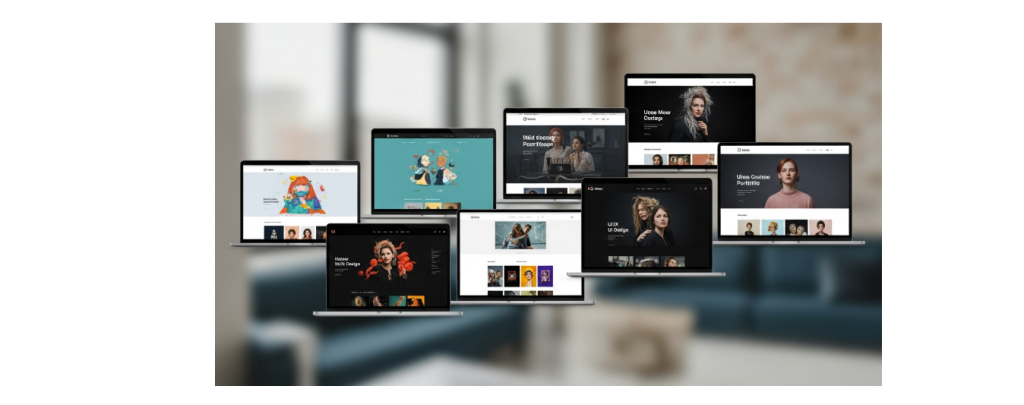
Key Highlights
- Get ideas from the best portfolio website examples in many creative fields.
- Find out the best practices for making an online portfolio that will get the eye of potential clients.
- Look at the top portfolio builders like Wix, Canva, and Adobe Portfolio to see which one is good for you.
- See what sections a strong portfolio website needs to have to do well.
- Get tips you can use now to put your best work out there and build your personal brand through your portfolio.
- Learn how you can use free templates to make a good-looking site that will not cost you anything.
Table of Contents
Introduction
Do you want a portfolio website that shows your best work and helps you stand out? A strong online presence is more than just a resume. It is a place to share your personal brand and show what makes you different. A good portfolio website can help you get clients, find the job you want, and let people see what you can do.
This guide gives you the steps you need to build the best portfolio website. It will show your skills and your unique style.
Inspiring Portfolio Website Designs to Spark Your Creativity
Are you trying to find a good way to start your portfolio site? When you look at what other people do, you can get some good ideas. It does not matter if you like a simple look or want something that feels bright and full of life. There are many ways to show your unique style on your portfolio site.
Looking at the digital portfolio examples can show you what works well in your field. You do not need to start from zero each time. A lot of ideas are easy to use with portfolio templates. Here are some of the best portfolio examples to help you get new ideas and spark your creativity.
1. Minimalist Portfolio by Jessica Hische
Jessica Hische is a well-known lettering artist. Her website uses a simple layout that shows how minimalism can make a big impact. The site keeps her best work up front so people can see it right away. This setup makes an immediate impact when you visit. There is no clutter, so you see the small details in her work without anything blocking them.
Her site has an online gallery. The work is sorted into groups. This helps potential clients and other creative people look at what she has made. The setup on her site is simple. It shows that using a basic style can make everything look good and be easy to use.
When you click on a project, you see a page made for that job. You find key things like the client, a short look at the project, and some art direction notes. This shows that the best portfolio website has a layout that is simple and has all the details you need. It proves you do not need a hard-to-use design to show your work well.
2. Interactive Design Showcase by Pablo Sánchez
Pablo Sánchez is a film and music designer. He shows how he works through his interactive portfolio. The website has great-looking projects. Each project has powerful visuals. You can read case studies by clicking the links, which help you understand his creative process. This is one of the best portfolio examples for keeping people interested right when they visit.
His site is simple to use. When you go in, you see his contact information in front of you. This makes it easy for potential clients to reach him right away. There is a page called “Talks” with links to events. You can see where he has spoken at these events. It shows more about him and his creative path. It is not only a list of his best projects. It also helps visitors feel like they know him better.
The website has interactive features and a clear layout. It helps people see his work in an easy way. You do not just see what he made at the end. You also see what he thought about while working. This way shows his skills well. A plain page would not do the same. The site is easy to remember. It also works well.
3. Creative Photography Portfolio by Jordan Jenkins
Jordan Jenkins’ portfolio site has a neat look. He uses a layout that lets big images and simple typography show. The pictures in his portfolio site help people see what he has done. There is plenty of white space in the layout. This makes it easy to focus on the product interfaces and how his workflows work.
Jordan’s site is not like other portfolio templates that feel crowded. The look is simple and clean. There are no things on it that take your focus away from what matters. You will see that his work is at the center. Each project comes with clear project titles. This makes it easy for you to see all he does. There is no need to read a lot, because the visuals stand out most.
This way works well for creative professionals who want to show their work in a good light. The layout is simple, and you get to see all the details in his product design. It shows that the best portfolios let the work shine, without taking your attention away from it.
4. Modern Art Portfolio by Karina Sirqueira
Karina Sirqueira is a designer at Airbnb. She shows her unique style in her online portfolio. On the homepage, you will find moving, abstract shapes that change. This right away gets your attention. Each of these shapes will take you to a project or work piece. The layout opens from the side and has many visuals, text, and video. She uses creative fonts and new typography. This makes the page feel modern and fresh.
Her project pages show each step she takes in design. The layout is good and keeps people interested. Her site is a good place for creative professionals to get new ideas. The portfolio shows not only the final work. It shares the story behind every design. This helps people see her talent and how she thinks in a creative way.
What you see first in Karina’s portfolio is the “About” page. Here, she shares what it is like to be a woman who works in design. She talks about her life, giving readers a real look into her world. This honest story helps her connect with people. It may also push others who want to enter the field to keep going. In her portfolio, you find her work skills with her own story in one clear place.
5. UX/UI Designer Portfolio by Gabriel Valdivia
Gabriel Valdivia is a product designer. He has worked with big names like Google and Facebook. His portfolio shows some of the best practices in user experience. The site has clear navigation, so it is easy to use. This helps people see his high-quality work fast. He also gives case studies for each project to share his experience.
Each project page has a simple outline of his role, the reason for the project, and what changed after the work was done. Many times, you can see step-by-step tours of the product. This helps you see how he solves problems and the value he brings to his clients. It also shows you how to set up case studies in a way that helps you get the most from them.
Valdivia shares what clients, partners, and other people she works with say about her. These testimonials help new people feel they can trust her. If you use a portfolio website builder, it is a good idea to add testimonials like these. They are an easy way to make your work look better. They also help new clients feel good about you and your work. A website builder lets you add what people say about you without much trouble. This can make your website feel more real and helps people use your site.
6. Responsive Web Developer Portfolio by Robin Noguier
Robin Noguier’s portfolio is a great way to show his technical skills as a creative developer. He uses bold typography and smooth motion to build his brand. The site looks good and works well on any device. You will not get lost in complex navigation. A simple project list takes you through his work, so you see his best work right away.
The site has little details and easy shifts that help the user go through their projects. These details do more than just look good. They also show his skill in coding and design. His portfolio tells people he is good at what he does without needing to read a case study. This lets people feel sure about his skills and builds trust. The site gives a clean and quick way to see his work.
This way of making a site shows that you do not need a tough-to-use website builder to have a strong and good site. Robin keeps the layout easy and neat. Each part looks smooth. So, his portfolio shows his skills well. It helps him stand out to people who want to hire or work with the best in development.
7. Architectural Portfolio by Spencer Gabor
Spencer Gabor’s portfolio site is a good way to show his work. You can look at the designs he made for well-known companies like Amazon and The New York Times. He uses a simple white background for his layout. The bright colors in his designs pop because of this. This clean style makes the work the main thing you see. It is one of the best digital portfolio examples if you want ideas for your own portfolio site.
His portfolio gets your attention because you can interact with it as you look around. When you get to the site, you will see a color palette icon. You can click this to change the text and background colors. This lets you make the site feel like your own. The work is shown in a curved layout. You do not scroll up or down. You scroll from side to side. This makes the site feel more fun and full of life than the usual way people scroll through websites.
Each project shows a main image on the homepage. If you click the image, you will see more designs and other details. This way of showing portfolio examples helps keep the homepage clean. People who want to know more can click and see more. It lets the homepage look good and also gives all the information people need.
8. Graphic Designer Portfolio by Natalie Almosa
Natalie Almosa is a product and visual designer. She gives her portfolio a playful feel. Her website is not like most portfolio templates. She uses moving parts that you can drag and click, so it becomes more fun for people. On the homepage, you can see her best projects. If you click on any of them, it will open up and show you important details and imagery about the work.
This portfolio makes it clear what she can do as a designer. She does not just talk about her work. She also uses project photos and design iterations to show it. These things help you see the outcomes and understand her creative process step by step. This is a great way for creative professionals to share their personality and skills at the same time.
Natalie makes it easy for people to get in touch with her. You will find her contact information in the top right corner. It has her email and social media links. She also shares a link to her resume. This way, you can read about her work background. This shows that Natalie wants her portfolio to help with job searching and be useful for all potential clients.
9. Professional Writing Portfolio by Bradley Ziffer
Bradley Ziffer is a UX and product designer. On his homepage, he uses small animations and things you can click on. These help his site look good and feel fun to use. You see a gallery of his work when you visit his homepage. He calls this section “recent adventures.” This name gives his website something special, and you can tell he cares about his work. The clear purpose is to show his best work in a way that draws people in.
Each project will take you to its own page. On that page, you will see short descriptions and important details that help you to know more about the work. The text tells a story to show you how the project makes a difference. You will also find design iterations and data visualizations. These things help Ziffer show his brand personality. They also point out his skills and the work he has done.
You can find his contact information easily. This makes it simple for potential clients to get in touch with him.
This portfolio website is a good example of how you can put creativity and clarity together. The interactive parts catch people’s interest and help them stay on the site. The project pages are set up well. They give the information that employers want to know. This site shows that a portfolio can be fun and still look professional at the same time.
10. Multimedia Creator Portfolio by Conor O’Hollaren
Conor O’Hollaren works as a product designer. He gives his portfolio site a comic-style look, which is fun and different. This makes his site stand out from other digital portfolio examples. On his portfolio site, he shows a mix of projects to give people a good feel for his work. The case studies he shares give many details about how he does each project. He splits every case study into clear steps. These steps are called discovery, strategy, and impact. This setup helps readers to understand each of the steps in the work as they read. The structure makes it simple for people to follow along on the site. If you want to see good portfolio examples, his site is one you should check out.
His portfolio has a lot of multimedia content in it. Conor likes to use a split-screen layout. This way, you can see important details right next to images of the app interface. People can read about the app and also look at pictures at the same time. It is clear he spends time on his portfolio, just like he does with his work.
He shares the story behind each of his case studies. He does not just show the finished work. He also talks about how he thinks and how he solves problems. This helps potential clients see all the things he can do. Because of this, his portfolio is a good way to show how much he can offer as a multimedia creator.
Top Platforms and Tools for Building a Portfolio Website
You now feel ready to go after your dream and want to know how you can make it real. The good thing is, you do not need to be a coding expert to build a great portfolio. A modern website builder gives you all the tools you need. You get templates you can change, as well as an intuitive drag-and-drop editor. A portfolio website builder helps you make all this happen without any struggle.
It does not matter if you want a simple portfolio maker or you need a website builder with an AI portfolio generator. There will be a platform for you. A lot of these websites give free plans. This means you can start to use them without paying. Now, let’s look at some of the best tools that can help you make your own site.
Wix – Versatile portfolio website maker with free templates
Wix is one of the best portfolio website builders for creative professionals. This site gives you a lot of versatility. You can build your personal brand with its easy portfolio builder. The drag-and-drop feature is intuitive and simple to use. There are hundreds of free templates you can pick from to make your site just right. If you want to get your portfolio ready fast, try the Wix AI portfolio generator. You only need to answer a few questions, and it will make a good portfolio website for you in minutes.
Wix is not just about good looks. It gives you strong tools for your business. You can set up meetings, follow your numbers, and even make a logo. All of this is in one place. There is hosting too, so you do not have to worry about the tech part. This full package makes Wix a great way to show what you do and help your business grow.
Wix has a few different pricing choices. There is also a free plan. This makes wix open to all people.
| Plan | Price (per month) | Best For |
|---|---|---|
| Free | $0 | Basic portfolios with Wix ads |
| Light | $17 | Simple, ad-free sites |
| Core | $29 | Basic eCommerce and marketing |
| Business | $36 | Growing a brand |
| Business Elite | $159 | Unlimited storage and scaling |
Canva – Easy-to-use platform for creative portfolio website design
Canva is a well-known tool for creative professionals. The platform is simple, so you do not have to know much about web design to use it. With Canva, you can make a good-looking portfolio in a short time. There are a lot of portfolio templates you can pick from. You can change these portfolio templates to fit your unique style with a few clicks.
The easy drag-and-drop editor lets you change your portfolio the way you want. You can pick new colors, switch the fonts, or update the layouts with just a few clicks. This gives you full control over how your online presence will look and feel. Using Canva is simple, so it is a good choice for artists, designers, and photographers who want a great site without spending a lot of time to learn it.
Canva does not give you all the advanced tools that a full website builder has. But it is great when you want to make a simple and good-looking one-page portfolio quickly. If you want to show your work in a clear, neat, and nice way, Canva has what you need. You can do a good job with this site.
Adobe Portfolio – Professional solution for designers and artists
If you are a designer or artist and use Adobe Creative Cloud already, Adobe Portfolio is a good choice. It comes for free with your Creative Cloud plan. This means you can build a professional portfolio and not pay any extra. The platform lets you make a site that works on any device. So, your site will look good on a phone, tablet, or computer.
Adobe Portfolio works with your Behance projects. This helps you move your work and keep your online portfolio fresh. You will be able to pick from many templates that show your design work well. There are options for customization so you can change layouts, fonts, and colors. This lets you make it fit your style and brand.
To make the best portfolio website, you need to show your work in a great way. Adobe Portfolio helps you do this. You can have password-protected pages and use your own domain name. This will make your site look more ready for work. If you use Adobe tools a lot, Adobe Portfolio is an easy and smart choice to build the best portfolio website.
Portfoliobox – Portfolio website free for creatives
Portfoliobox is a portfolio website builder for people who want to show their best work online. It stands out from other website builders because you do not have to follow one set theme. You can choose any template for each page. This lets you mix and match, so your website can look the way you want it to. That is why many photographers, artists, and designers pick Portfoliobox as their portfolio website builder.
The platform has a free plan for you. You can build and put your portfolio website online without paying anything. This helps students and freelancers who are just beginning. With the free account, you get hosting where you can put up to 30 images and five pages. Portfoliobox is a simple portfolio maker. You can make your site in your browser, and you do not need to know how to code for this.
Portfoliobox gives you pro accounts if you want more features. With these accounts, you get a free domain. There are no limits on how many images or pages you can put on your site. You also have tools that help you sell things online. You can start with a free plan. When your work or job gets bigger, you can move up to a pro account. Portfoliobox is made for creative people. It is a good choice if you want your portfolio to look good and work well.
Weebly – Simple website builder with customizable portfolio website ideas
Weebly is a website builder that is simple to use. You don’t need any technical skills to create your own portfolio site here. The drag-and-drop editor lets you build and change your pages without any trouble. There are many templates to pick from. These work well for all kinds of portfolio sites and give you a good place to start your design.
The platform has good features. With the paid plans, you get unlimited storage. This lets you upload all the high-quality media you want. You can also add a blog to share your creative process or talk about ideas in your work field. A blog can help get more people interested and make your SEO better. The customization tools are simple to use. They let you make your site look professional.
Weebly is a website builder with good pricing. You can use it for free, or you can choose a paid plan that starts at about $8 each month. This is good for people who want to save money but still get strong features. If you want a fast and simple way to put your work online, Weebly is a good choice.
Essential Features and Sections for a Strong Portfolio Website
A great portfolio is more than just some photos put together. To get the best portfolio website, you need to set it up so the site shows your story. It should also help people find what they want with ease. If you use best practices in web design, your site will look good and feel professional. People will feel it is simple to use. It can help you stand out and make a good mark on others.
Having the right sections on your site is important. The right sections help you show off your best work in a clear way. They also let potential clients see who you are and what you do. A strong portfolio should have a few key parts. Let’s look at what every strong portfolio website needs.
Homepage and About Me section
Your homepage is what people see first when they visit. It has to make an immediate impact. You need to tell them who you are and what you do. You can also share your personal brand from the start. A bold welcome message works well on the page. A grid to show your top projects lets people see your work. A good layout helps visitors and makes them want to look around more.
The About Me section is a good place to connect with your audience in a more personal way. You can tell your story here. Use this spot to talk about your work journey and share some creative ideas. You can also say what makes you different from other people. This section is not just to list your skills. It is more about telling people the story behind your work. A good idea is to add a professional photo. A photo helps people trust you. It also gives the page a warm and personal feel.
This part should give all the info someone needs. Keep it clear and simple. A good bio helps people see who is behind the work. It can change a visitor into someone who wants to be your client or work with you. A strong homepage and an about page work together. They help build a good base for your portfolio.
Gallery or Project Showcase
The gallery or project showcase is the main part of your portfolio. This area lets you show people your best work. A good mix of projects helps you prove what you can do. You do not need to put every project in. It is important to curate a group of strong pieces. Try to focus on quality instead of showing everything. A mix of projects will show your versatility to anyone looking at your portfolio.
Keep your work neat by arranging it so you and others can find things easily. You can set your projects in groups by the type of work you did, who the client is, or which skill you used. Give each project a clear name. Write a small note for each that shares the problem, what you did, and what came out at the end. If some projects need more details, you can make case studies. In case studies, show all steps from start to finish.
Good pictures and videos are needed. Use clear images and videos so your work can stand out. This will help your gallery look better.
- Use clear and easy-to-read project titles.
- Write short and interesting text for each project.
- Show a mix of projects. This will help show what you can do.
- Add case studies for the most important work.
Testimonials and Client Feedback
Adding testimonials and client feedback is a great way to build trust with potential clients and prospective clients. When people read what others say about you, they feel more sure about working with you. This social proof shows that you have skills and that you work with care. It helps them feel confident to choose you.
Put testimonials in different places in your portfolio. You can make a page for testimonials. You can also add short quotes close to the project they talk about. For example, place a good review from a web design client next to the website project you did for them. This helps people see proof of your work as they browse your projects. It also makes the reviews feel real.
Do not feel shy about talking to old clients or collaborators and asking them for a short review. A lot of people feel happy to do this, mainly if they liked the work or service you gave them. These honest words from others can really help you. They may even help someone who is unsure pick you. A person looking at your work can become a paying client because of what happy people say.
Contact Form and Social Links
After you show your work to visitors, you will want them to get in touch. A clear contact page with your contact information helps with this. The page should be easy to find in your navigation. A simple contact form can help you get leads. A page like this makes people feel good about reaching out to you.
Your contact form should be easy to use. It is good to only ask for basic things, such as the name, email, and a message. A long form or hard questions can keep people from reaching out. You can also add your email for those who would rather use that instead.
Along with a contact form, it is a great way to add links to your social media accounts. This will help potential clients find you and connect with you. When you share your social media, people get to see your work there. They can also learn about your personality and feel more comfortable reaching out to you.
- Keep the contact form short. Make it simple for people to fill in.
- Give your professional email. This lets people reach you in another way.
- Add links to your social media accounts so you can build your online presence.
Conclusion
Having a strong portfolio website is key. It lets you show your work to others and get potential clients. The examples we saw prove that there are many ways to build your online presence. With the right platforms and features, you can create something that shows your unique style. This also helps you connect and talk with people.
Remember, your portfolio should grow as you do. Keep adding your latest projects and achievements to it. If you want to make a good portfolio for yourself, reach out now for a free chat. Get help to start your own journey!
Frequently Asked Questions
What are the best tips for portfolio website design that attracts clients?
To get the attention of prospective clients, you want to show only your best work. Your portfolio should have a clear purpose. A clean layout will help you make an immediate impact. Follow best practices in design so people can move through your portfolio with ease. Use high-quality visuals. Write strong project descriptions to show your value and skills.
How can I find portfolio website free templates and customize them?
Many portfolio builder sites, like Wix and Portfoliobox, give you lots of free templates. You can look through and pick a template you like. After that, you can start your customization with the platform’s editor. You can change the colors, fonts, and layout the way you want. This helps you make a portfolio website that is right for you. The good thing is, you do not have to pay for it.
What mistakes should I avoid when creating my portfolio website?
Do not put too many projects or too much info in your portfolio. Many people make mistakes with navigation that is hard to use, bad images, and no clear focus. The best portfolio website should be picked well and be easy for people to go through. You do not need to show all your early design iterations. Only add them if they help show your way of working in a clear way.

